Questions & Answers#
- What is OAuth, and how does it facilitate authorization in modern web applications?
- OAuth is a commonly used authorization framework that enables websites and applications to request limited access to a user’s account on another application.
- It allows a third-party application to access a user’s data on another platform by issuing an Access Token, without requiring the user to enter their username and password for that application.
- The client application requests access to a subset of the user’s data, specifying the permissions and access rights it wants to be granted.
- The user is prompted to log in to the OAuth service and consent to the requested access.
- The client application is granted a unique token proving that it has been authorized by the user to access the requested data.
- The client application uses this token string to make API calls to retrieve the relevant data from the resource server.
- Describe how consent phishing can be executed in an OAuth context. How can attackers leverage OAuth permissions to gain unauthorized access to user data? Discuss strategies that can be employed to detect and prevent consent phishing in OAuth implementations.
Execution method: The attacker creates a malicious web application impersonating legitimate software and tricks the victim into clicking a link. A screen pops up asking the victim to “Consent” to grant permissions to the application. If the victim clicks “Agree”, the malicious application receives a valid Access Token.
Token exploitation: The attacker can directly steal data (read emails, download files, change information) without knowing the victim’s password, and simultaneously bypass the Multi-Factor Authentication (MFA) layer.
Prevention strategies:
OAuth Service Providers:
- Strictly control the
redirect_urislist: Require client applications to register a whitelist containing valid redirect URIs. Apply a strict byte-for-byte comparison method rather than just pattern matching. This prevents attackers from exploiting vulnerabilities to access unauthorized pages on the same domain that has been whitelisted. - Enforce the use of the
stateparameter: The value ofstatemust be tightly bound to the user’s session by including random, unguessable data. This technique both mitigates CSRF attacks and neutralizes the use of stolen authorization codes. - Identity verification at the Resource Server: Upon receiving a request, the resource server must verify whether the Access Token was actually issued to the exact
client_idmaking the request. Simultaneously, it must cross-check the requested scope against the originally approved scope of that Token.
- Strictly control the
OAuth Client Applications:
- Master the protocol before coding: Most vulnerabilities arise because developers do not truly understand what happens at each step of the OAuth flow. Ensure a thorough understanding of the operational mechanism and potential risks before implementation.
- Proactively use the
stateparameter: Even if the service provider does not strictly require it, your application must always generate and validate thestateparameter. - Synchronize
redirect_uriacross Endpoints: Ensure theredirect_uriparameter is sent not only to the/authorizationendpoint but also to the/tokenendpoint. - Apply the PKCE mechanism for Mobile/Native Apps: For mobile or desktop applications, it is mandatory to implement the PKCE (RFC 7636) mechanism. This additional layer of protection will completely prevent the interception or eavesdropping of access codes.
- Strictly validate the
id_token: If your application uses the OpenID Connectid_token, ensure that the token is rigorously validated according to JSON Web Signature (JWS), JSON Web Encryption (JWE), and OpenID standards.
Prevent authorization code leakage:
- Prevent the leakage of codes through
Refererheaders when the website loads external resources like images, CSS, or Script files. - Never embed authorization codes inside dynamically generated JavaScript files, as attackers can exploit
<script>tags to call and execute them from an external domain.
- Prevent the leakage of codes through
Authentication bypass via OAuth implicit flow#
- To solve this lab, we need to log into Carlos’s account. Provided information:
- Carlos’s email:
carlos@carlos-montoya.net. - Provided credentials:
wiener:peter.
After that, let’s access the lab’s homepage.
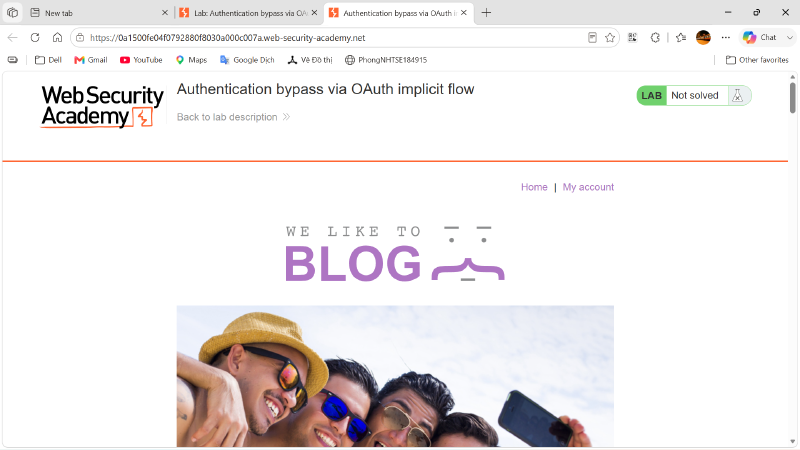
- Try accessing the
My accountpage and observe the website’s behavior.
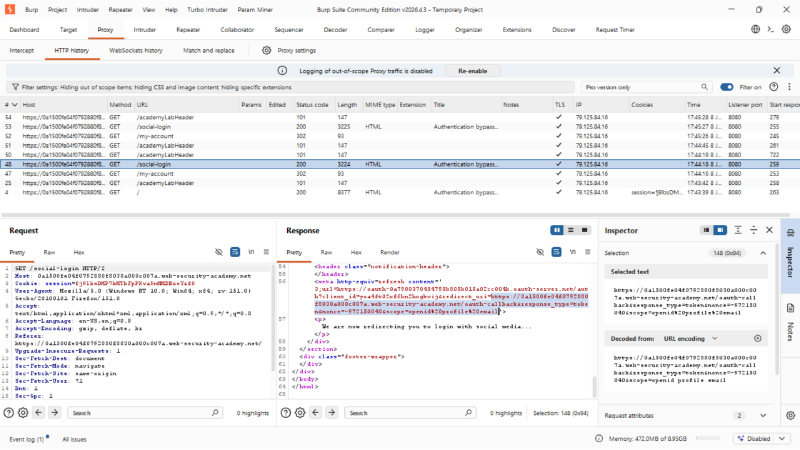
- Observing the request packets, we can easily notice that: “On this website, when clicking on the “My account” feature, the website redirects us to the
/social-loginpath. After accessing the/social-loginpage, the website automatically redirects us to the OAuth authentication page.
| |
Looking at this, we know that after successful OAuth authentication, it will be redirected back to our original website: redirect_uri=https://0a1500fe04f0792880f8030a000c007a.web-security-academy.net/oauth-callback. We will try to proceed with entering the login credentials and observe the website’s behavior.
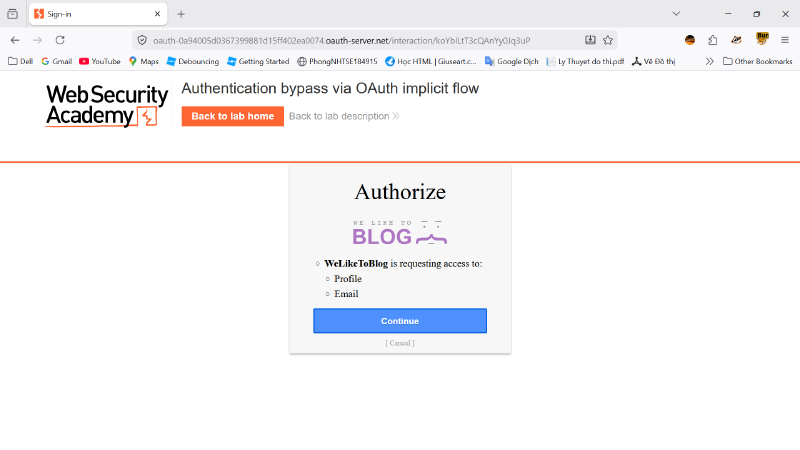
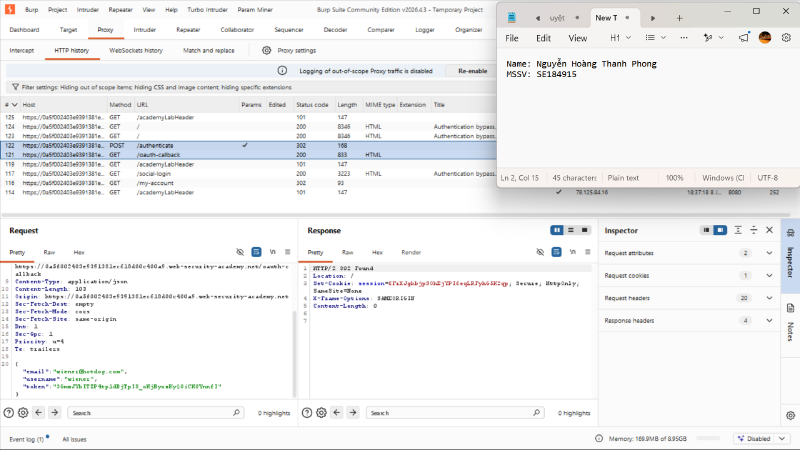
- Looking at the authentication flow, the token returned from the OAuth service provider is only responsible for verifying the permissions that the client application is allowed to access. The verification of the logged-in user’s identity relies on the
emailandusernameinformation. Therefore, we can change theemailandusernameto Carlos’s information and borrow Wiener’s OAuth token to log in (the token is not bound to the user identity on the client application).