
Question & Answer#
- What is Blind Command Injection, and how does it differ from classic command injection vulnerabilities?
- Blind Command Injection is a type of OS command injection where the application executes an attacker-controlled operating system command on the server, but does not return the command output in the HTTP response. According to PortSwigger, many OS command injection cases are blind because the command runs server-side, but its output is not shown back to the user.
- It differs from classic command injection mainly in visibility of output. In classic command injection, the attacker may directly see the result of a command in the web response, such as the current username, system information, or error messages. In blind command injection, the command may still execute successfully, but the attacker cannot directly see the result, so they must use indirect techniques to confirm execution.
- Challenges of Blind Command Injection and how attackers infer successful command execution
Blind Command Injection is more difficult to detect and exploit because the application gives no direct feedback. For example, a normal test command such as
echomay execute, but its output will not appear in the response, so the attacker cannot immediately confirm whether the injection worked.An attacker can infer successful command execution in several ways:
- Time delays: The attacker injects a command that intentionally makes the server take longer to respond. If the response is delayed by the expected amount of time, this suggests that the injected command was executed.
- Output redirection: If the attacker can write to a web-accessible directory, they may redirect the output of an injected command into a file and then retrieve that file through the browser. This allows them to indirectly view the command output even though it was not included in the original HTTP response.
- Out-of-band interaction: The attacker can inject a command that causes the server to make a DNS or HTTP request to a domain they control. If the attacker receives that external interaction, they know the command executed. PortSwigger also notes that this technique can be used to exfiltrate command output through the external request.
Blind OS command injection with time delays#
Step 1: Open the PortSwigger Web Security Academy lab#
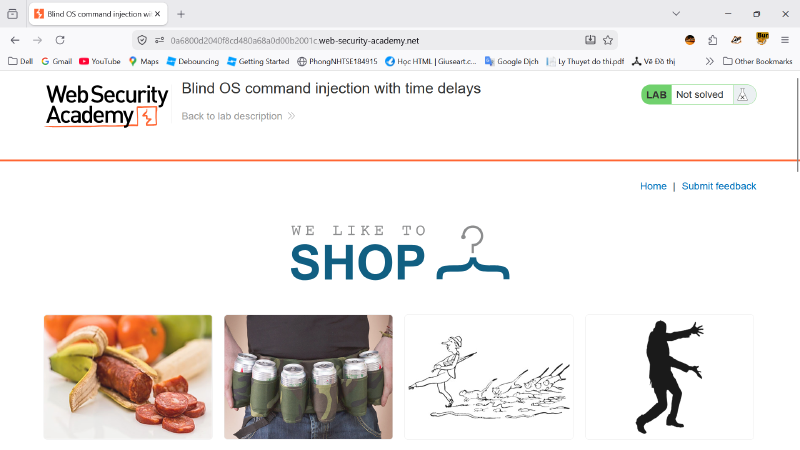
First, I opened the PortSwigger Web Security Academy lab named “Blind OS command injection with time delays.” The objective of this lab is to exploit a blind OS command injection vulnerability in the feedback function and cause the server response to be delayed by approximately 10 seconds.
This is a blind command injection case because the application does not display the output of the executed operating system command in the HTTP response. Therefore, the success of the injection must be confirmed indirectly by observing the response time.
Step 2: Go to the feedback submission function#
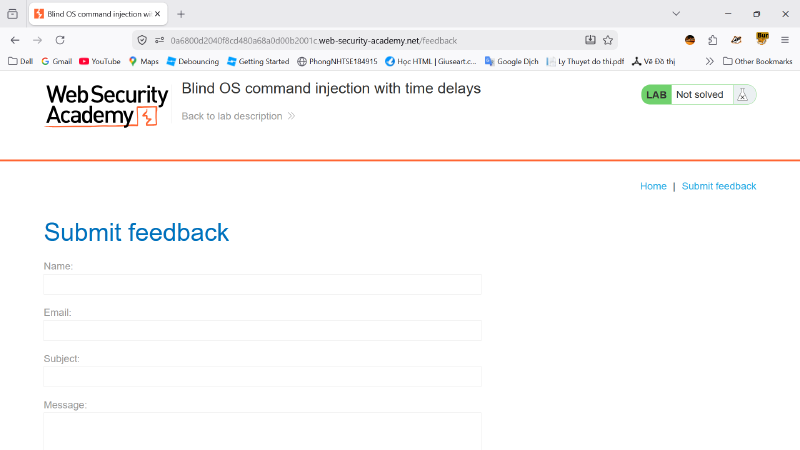
After accessing the lab, I navigated to the Submit feedback page. This page contains several input fields, including Name, Email, Subject, and Message. Since the lab description indicates that the vulnerability exists in the feedback function, this form is the main target for testing.
Step 3: Capture the feedback request using Burp Suite#
Next, I used Burp Suite to capture the HTTP request generated when submitting the feedback form. After filling in normal test values and submitting the form, Burp Suite recorded a POST request to the /feedback/submit endpoint.
The request body contained several parameters, such as:
| |
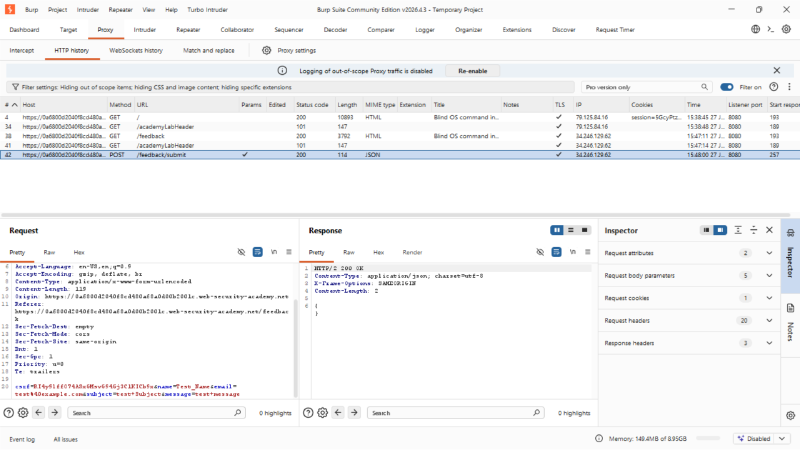
The presence of user-controlled parameters means they can be tested as possible injection points.
Step 4: Send the request to Burp Repeater#
I sent the captured feedback submission request to Burp Repeater. Repeater allows the request to be modified and resent multiple times while observing the server response.
Before modifying the request, I sent the original request once to understand the normal behavior of the application. The server returned a normal HTTP/2 200 OK response with a short JSON response body. No command output was shown in the response, which confirms that this is a blind testing scenario.
Step 5: Test the email parameter for command injection#
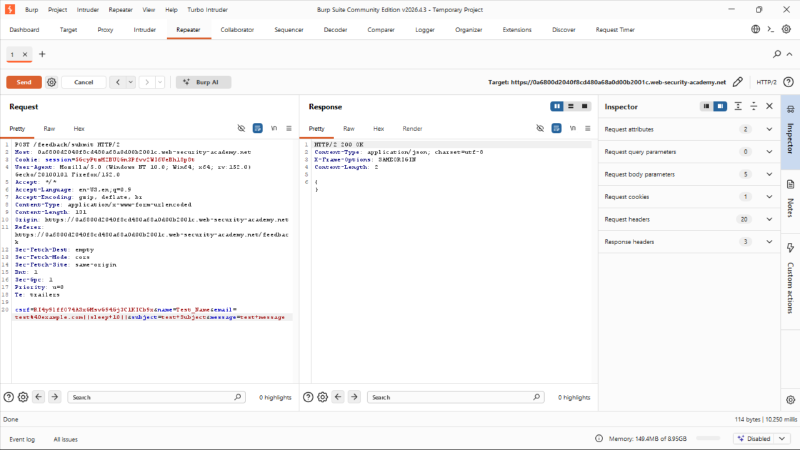
I then focused on the email parameter because PortSwigger’s solution for this lab uses the email field as the injection point. To test for blind OS command injection, I modified the email value by appending a command separator and a time-delay command.
The modified payload used in the request was:
| |
In this payload, || is used as a shell command separator. If the application places the email value into an operating system command without proper sanitization, the injected sleep 10 command will be executed by the server.
Step 6: Send the modified request and observe the response time#
After sending the modified request in Burp Repeater, I observed that the server response took approximately 10 seconds to return. This delay did not happen with the normal request.
This timing difference is the key evidence of blind OS command injection. Although the server did not return any visible command output, the delayed response shows that the injected command was executed on the server side.
Step 7: Confirm the vulnerability#
To confirm the result, I compared two requests:
| |
This request returned quickly.
| |
This request caused a noticeable delay of around 10 seconds.
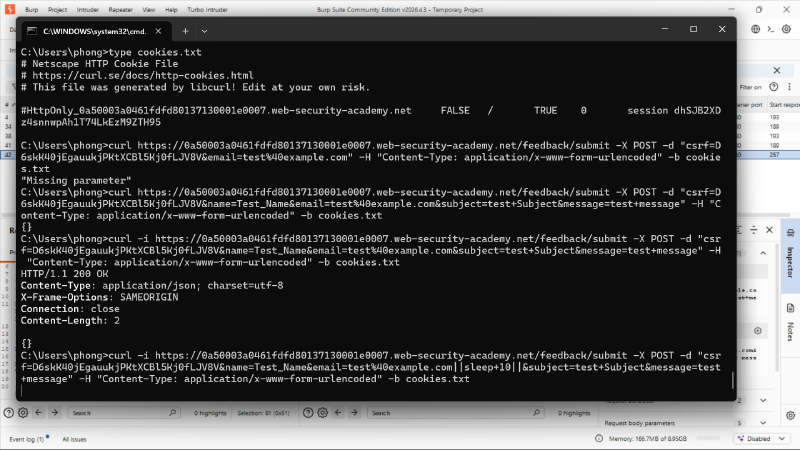
Because the delay only occurred when the injected command was added, it proves that the application is vulnerable to blind OS command injection.
Step 8: Lab solved#
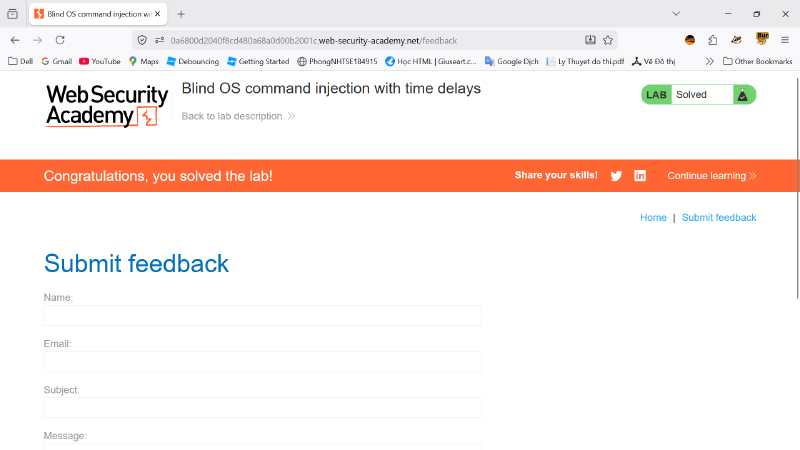
After the successful time-delay injection, the lab status changed to Solved. This means the application accepted the exploit condition required by the lab.
The vulnerability was successfully exploited by injecting an operating system command into the feedback form’s email parameter and confirming command execution through the delayed server response.
Summary#
In this lab, the application was vulnerable because it executed a shell command containing user-supplied feedback data without proper input validation or command-safe handling. Since the command output was not returned in the HTTP response, the vulnerability was blind. The attack was confirmed by injecting a time-delay command into the email parameter and observing that the server response was delayed by approximately 10 seconds.