
Question & Answer#
1. What are File Upload vulnerabilities, and how do they present a risk to web applications and servers? Discuss the potential consequences of improperly handled file uploads, including the execution of malicious code, system compromise, and data breaches. Explain how these vulnerabilities differ from other input-related security issues.#
Definition & Concept: File upload vulnerabilities occur when a web application allows users to upload files to its filesystem without sufficiently validating their name, type, contents, or size. Failure to properly enforce restrictions on these parameters allows an attacker to upload arbitrary files, including server-side script files (such as
.php,.jsp, or.asp) that act as web shells.Potential Consequences & Risk:
Remote Code Execution (RCE): If an attacker uploads a script file to a directory where the web server is configured to execute code, they can issue HTTP requests to that file to run arbitrary operating system commands with the privileges of the web server user.
System Compromise & Data Breaches: Achieving RCE allows attackers to read sensitive configuration files containing database credentials, access internal networks, exfiltrate proprietary data, or deface the application.
Client-Side Attacks & Overwriting: Attackers can upload files containing malicious client-side scripts (such as XSS payloads in HTML or SVG files) or overwrite critical existing system files (such as
.htaccessorweb.config) to relax server security configurations.How It Differs from Other Input Vulnerabilities:
Stateful & Persistent Storage: Unlike SQL Injection or Cross-Site Scripting (XSS)—where arbitrary strings are typically processed in memory or stored within database tables—file upload flaws directly deposit physical files onto the server’s filesystem.
Execution Layer: Exploiting file uploads relies on abusing how the web server (e.g., Apache, Nginx, or IIS) maps URL file paths and handles file extension execution handlers, rather than manipulating database query syntax or browser DOM parsing.
2. Describe the process of exploiting a File Upload vulnerability in a web application. What types of files and content might an attacker use to exploit such vulnerabilities, and how can they bypass common security checks?#
- Exploitation Methodology & Attack Process:
- Reconnaissance & Surface Mapping: Identify endpoints that accept file uploads (e.g., avatar updates, document attachments, or CSV imports) and determine where uploaded files are stored and served.
- Behavioral Testing & Filter Discovery: Upload benign files to understand normal application behavior, then upload executable scripts with standard extensions (e.g.,
test.php) to see how the server validates and rejects potentially dangerous files. - Evasion & Execution: Apply advanced file renaming, extension obfuscation, or Content-Type manipulation techniques to bypass validation filters, then navigate to the uploaded file’s URL to execute commands.
Types of Malicious Files & Content:
Web Shells: Server-side scripts (
<?php system($_GET['cmd']); ?>) designed to execute OS commands passed via HTTP parameters.Configuration Overrides: Uploading Apache
.htaccessor IISweb.configfiles to instruct the server to execute benign file extensions (like.pngor.txt) as server-side code.Polyglot Files: Valid image files (JPG/PNG) that embed malicious script code within their metadata (such as EXIF comments), allowing them to pass strict image-content validation libraries.
Common Attacker Bypass Techniques:
Obfuscated / Obsolete Extensions: Using alternative executable extensions that developers forgot to blacklist (e.g.,
.php5,.phtml,.shtml, or.jspx).Null Byte Injection (
%00): Appending a URL-encoded null byte before a valid image extension (e.g.,shell.php%00.png). High-level validation logic checks if the string ends with.png, but when passed to low-level C-based filesystem APIs, the string terminates at the null byte, saving the file asshell.php.Double Extensions: Using filenames like
shell.php.pngorshell.png.phpto exploit misconfigured Apache parsers that process multiple file extensions from right to left until an executable handler is matched.MIME-Type Spoofing: Intercepting the HTTP request in a proxy (like Burp Suite) and modifying the
Content-Typeheader fromapplication/x-httpd-phptoimage/jpegto bypass superficial backend MIME validation.
Web shell upload via obfuscated file extension#
Lab objective#
The objective of this PortSwigger Web Security Academy lab is to exploit a file upload vulnerability in the user avatar upload function. The application enforces a file extension blacklist that prevents uploading plain PHP files, but this check can be bypassed using an obfuscated file extension. To solve the lab, I uploaded a basic PHP web shell, executed commands to read the contents of /home/carlos/secret, and submitted the secret string.
Step 1: Open the lab application#
I opened the PortSwigger Web Security Academy lab titled Web shell upload via obfuscated file extension. The home page displayed an online blog application with the lab status banner indicating Not solved:
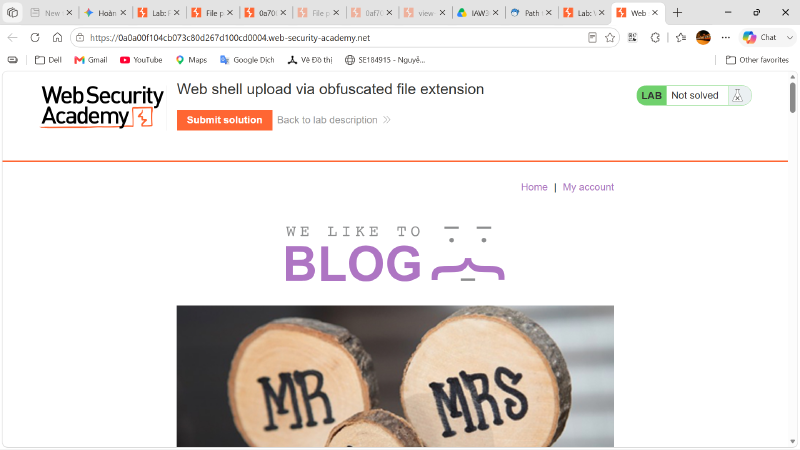
This confirmed that the target attack surface was within the user account management system, specifically where users can customize their profile settings.
Step 2: Navigate to the login page and authenticate#
I navigated to the login endpoint and authenticated using the provided user credentials (wiener):
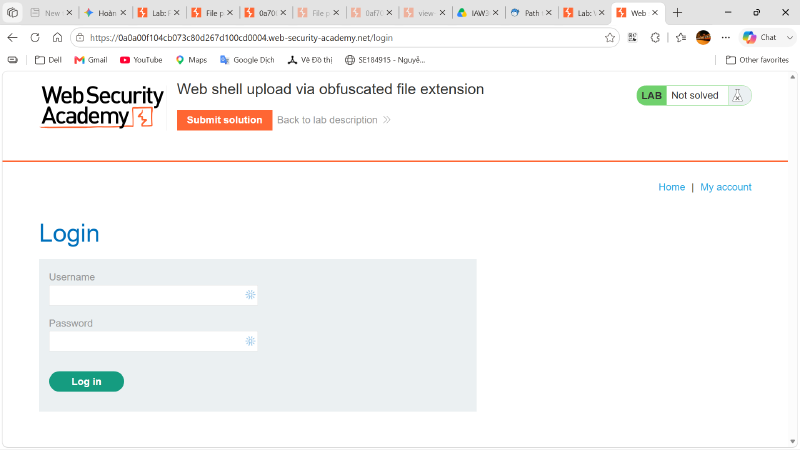
Upon successful login, I accessed the account dashboard, which features an Avatar section allowing users to select and upload a profile image:
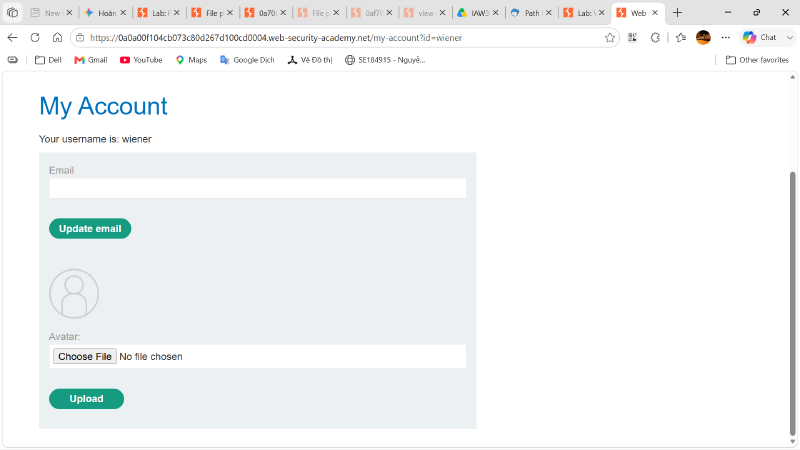
This avatar upload form directly interacts with the server’s filesystem and serves as the primary entry point for testing file upload vulnerabilities.
Step 3: Create a PHP web shell#
To prepare for the exploit, I created a simple PHP web shell file named shell.php using a text editor:
| |
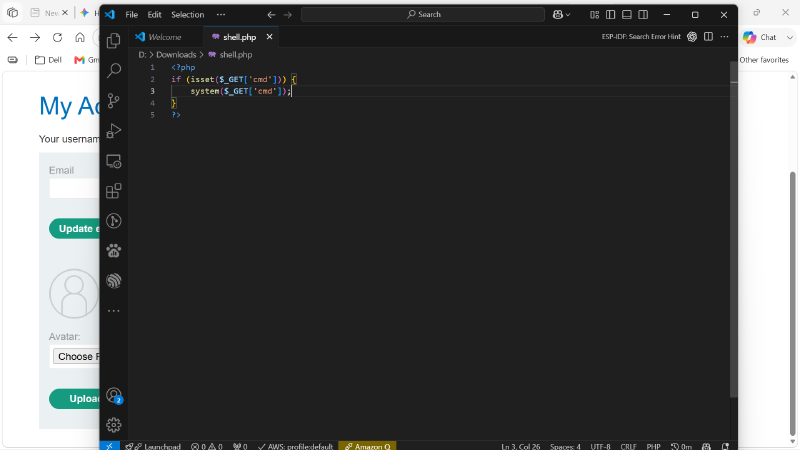
This script checks for a URL parameter named cmd and passes its value to the PHP system() function, allowing arbitrary operating system commands to be executed and displayed in the HTTP response.
Step 4: Attempt to upload the plain PHP web shell#
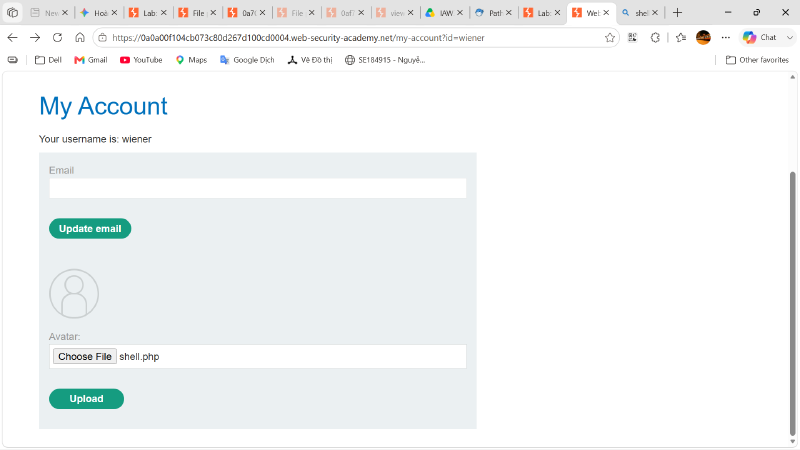
I selected the shell.php file in the avatar upload form and attempted a direct upload to test the backend’s baseline security controls:
Step 5: Observe the extension filter rejection#
The server rejected the upload attempt and returned an explicit error message:
| |
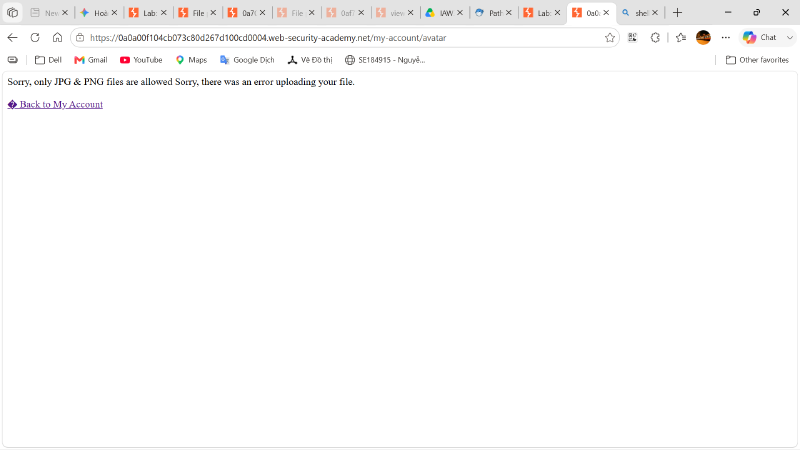
This rejection confirmed that the application implements an extension validation mechanism designed to restrict uploads strictly to image files.
Step 6: Inspect the form validation handling#
Using browser developer tools, I inspected the HTML structure of the upload form (action="/my-account/avatar" method="POST" enctype="multipart/form-data") to observe how the application processes the upload:
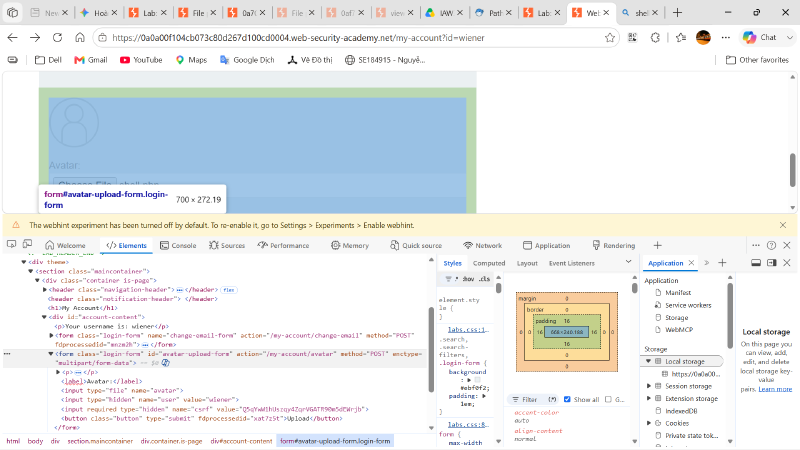
By inspecting the DOM, I confirmed that the form directly submits multipart data to the backend without strict client-side JavaScript validation blocking custom filenames. This indicated that the file extension check was evaluated entirely on the server side.
Step 7: Bypass the extension filter using Null Byte injection#
Attacker Mindset: When a backend application restricts file uploads using string-ending checks (e.g., verifying if the filename ends with .png), it is vulnerable to Null Byte injection (%00) if the underlying runtime environment or filesystem API processes strings using null-terminated C-style strings.
Instead of needing an external proxy tool, I bypassed the filter directly through the web interface by supplying the payload file with a URL-encoded null byte followed by an allowed image extension:
| |
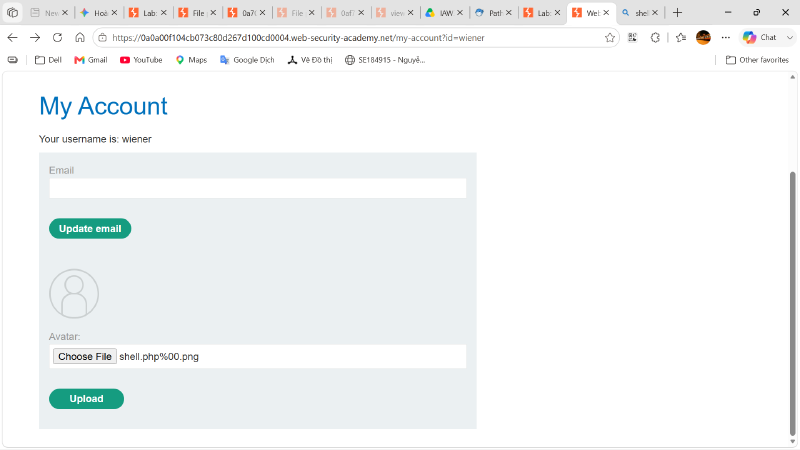
I selected shell.php%00.png directly in the avatar upload field and submitted the form. The application’s high-level validation logic saw the string ending in .png and allowed the upload. However, when the file was saved to the disk, the backend filesystem truncated the filename at the null character, storing it as shell.php.
Step 8: Observe successful file upload confirmation#
After sending the crafted payload, the server accepted the file and responded with a success notification:
| |
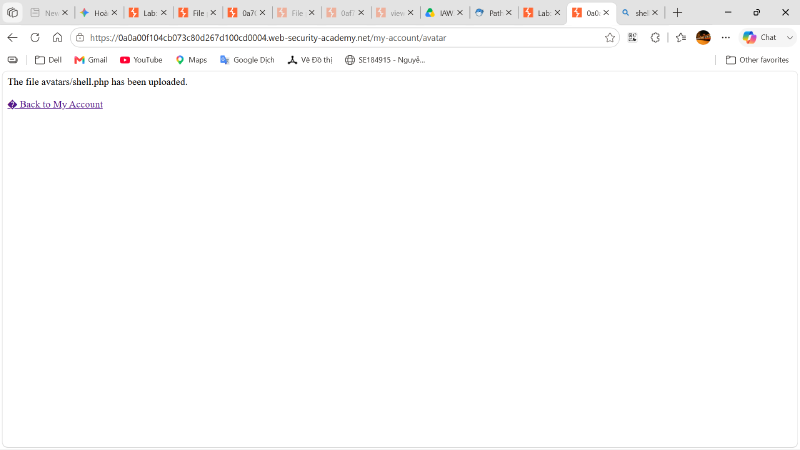
This confirmation proved that the null byte obfuscation successfully bypassed the extension filter, resulting in an executable PHP file residing in the /files/avatars/ directory.
Step 9: Execute remote commands via the web shell#
To verify Remote Code Execution (RCE), I accessed the uploaded web shell directly via its URL and passed a basic system command using the cmd parameter:
| |
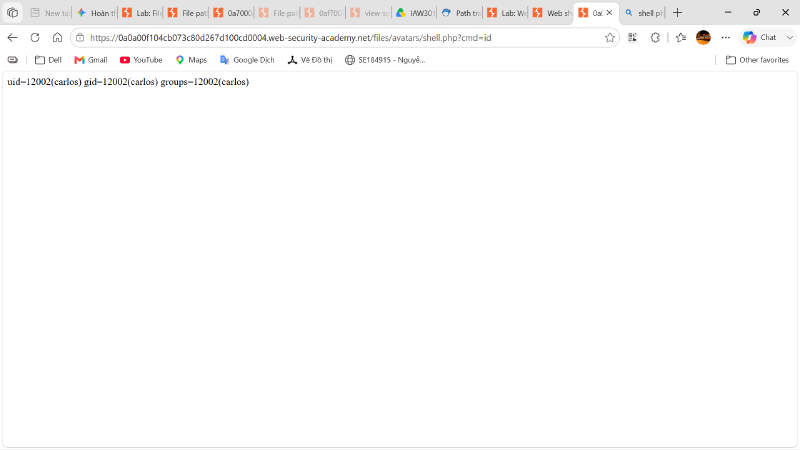
The server executed the command and returned the system user identity:
| |
This confirmed full remote command execution privileges under the carlos user context.
Step 10: Locate the target secret file#
To complete the lab objective, I needed to retrieve Carlos’s secret. I used the ls command to list the contents of Carlos’s home directory:
| |
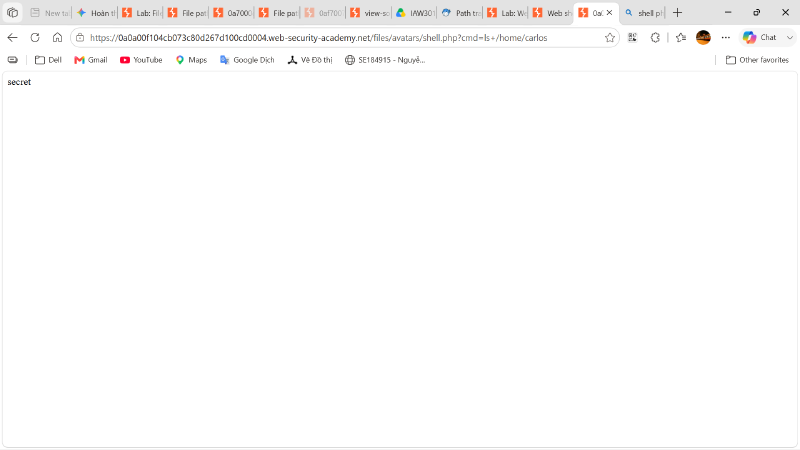
The output revealed the presence of a file named secret located at /home/carlos/secret.
Step 11: Read and exfiltrate the secret content#
I issued the cat command through the web shell to read the contents of the target file:
| |
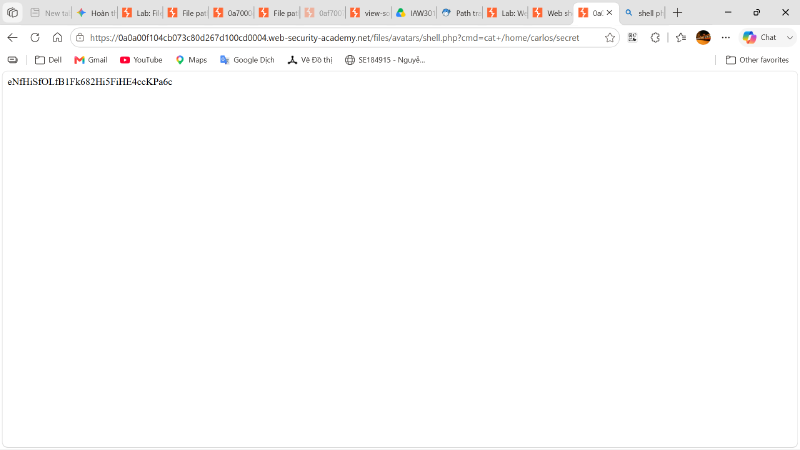
The server returned the plain-text secret string:
| |
Step 12: Submit the secret to solve the lab#
I returned to the lab application, clicked the Submit solution button, and entered the retrieved secret string into the submission modal:
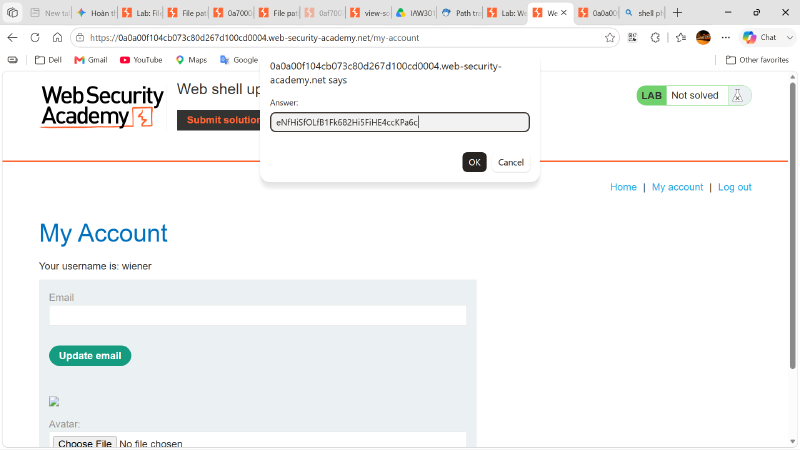
After submitting the answer, the lab status banner automatically updated to Congratulations, you solved the lab! with a green Solved badge:
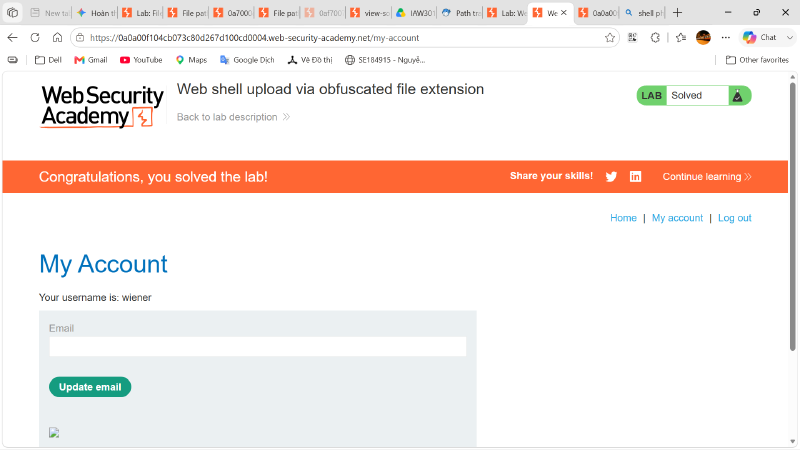
This confirmed the successful exploitation of the file upload vulnerability via extension obfuscation, completing the lab.
Vulnerability explanation#
The root cause of this vulnerability is a flawed file extension validation logic combined with unsafe filesystem string handling. The application attempts to secure the avatar upload endpoint by checking whether the supplied filename ends with an approved image extension (.jpg or .png). However, because this check is performed using high-level string evaluation without normalizing or sanitizing control characters, an attacker can inject a null byte (%00) before the image extension.
When the application passes the filename shell.php%00.png to lower-level system file-handling libraries (which rely on C-style null-terminated strings), the runtime interprets %00 as the end of the string. As a result, the file is saved directly to the web root as shell.php. Because the destination upload directory (/files/avatars/) is configured with execution permissions for PHP scripts, navigating to the file causes the web server to execute the script rather than serving it as static content.
Security impact#
The demonstrated impact is complete Remote Code Execution (RCE) on the underlying web server. In a real-world scenario, an attacker exploiting this vulnerability could gain unauthorized command-line access with the privileges of the web application user. This leads to immediate server compromise and can act as a pivot point for attacking internal infrastructures.
Potential impacts include:
- Unrestricted execution of system commands, allowing attackers to install persistent backdoors or malware.
- Full access to sensitive application configuration files, including database connection strings, API secrets, and encryption keys.
- Unauthorized viewing, modification, or deletion of customer databases and internal system files.
- Lateral movement across internal corporate networks accessible from the compromised web server.
- Complete loss of confidentiality, integrity, and availability for the hosted application.
Remediation recommendations#
To prevent file upload vulnerabilities and web shell execution, organizations must implement a defense-in-depth strategy that does not rely on simple filename string checks.
Recommended defenses include:
- Enforce Strict Whitelisting: Validate file extensions against a strict whitelist of permitted types. Reject any filename containing unexpected characters, multiple extensions, or control characters like null bytes (
%00). - Randomize Filenames on the Server: Never use the user-supplied filename to store files on disk. Generate a secure random string (such as a UUID) and append a verified, hardcoded extension (e.g.,
550e8400-e29b-41d4-a716-446655440000.png). - Store Uploads Outside the Web Root: Store uploaded user content in a dedicated directory located outside the web server’s public document root, serving them indirectly via a secure controller or cloud object storage (e.g., AWS S3).
- Disable Script Execution in Upload Directories: Configure web server software (Apache, Nginx, or IIS) to explicitly disable the execution of server-side scripts within upload folders using configuration rules (e.g.,
php_flag engine offin Apache.htaccessorlocation ~* ^/uploads/.*\.php$ { deny all; }in Nginx). - Validate File Content & Magic Bytes: Inspect the actual file contents and header signatures (magic bytes) using robust image processing libraries rather than relying on filenames or client-supplied
Content-Typeheaders.
Conclusion#
This lab demonstrated how an incomplete blacklist filter and insecure string handling can lead to a critical Remote Code Execution vulnerability. While the application attempted to restrict uploads to PNG and JPG images, appending a null byte sequence (%00.png) allowed a malicious PHP web shell to bypass validation and save to the disk as an executable script. By navigating to the uploaded shell, I successfully executed operating system commands, retrieved sensitive user data from the server, and solved the lab.