
Question & Answer#
1. What is a Path Traversal vulnerability, and how does it differ from other types of web application vulnerabilities? Explain the concept of path traversal, including how attackers can manipulate input to access or manipulate files outside of the intended directory.#
- Definition & Concept: Path Traversal (also known as Directory Traversal) is a web security vulnerability that allows an attacker to read arbitrary files on the server running an application. This includes application source code, configuration files, backend credentials, and sensitive operating system files such as
/etc/passwdon Linux orwin.inion Windows. - How it differs from other vulnerabilities:
- Target Layer: Unlike SQL Injection (which targets the database engine) or Cross-Site Scripting (which targets the client’s web browser), Path Traversal directly targets the server’s local filesystem by abusing improper input handling in system-level file operations.
- Execution vs. Retrieval: Unlike Command Injection or Remote Code Execution (RCE), standard Path Traversal is an arbitrary file disclosure flaw. It does not execute code directly, though attackers can escalate it to RCE if write permissions or log poisoning techniques are leveraged.
- Attacker Manipulation Mechanics: Applications often use user-supplied input to construct file paths for dynamic content loading (e.g.,
image?filename=46.jpg). If the server passes this parameter to filesystem APIs without validation:- Relative Traversal: Attackers inject dot-dot-slash sequences (
../or..\) to step out of the intended base directory (/var/www/html/) and navigate up the filesystem tree:filename=../../../../etc/passwd. - Absolute Traversal: Attackers supply a direct filesystem path from the root directory, completely bypassing the intended base directory:
filename=/etc/passwd.
- Relative Traversal: Attackers inject dot-dot-slash sequences (
2. Describe the process for exploiting a Path Traversal vulnerability in a web application. What are the common methods or techniques used by attackers to manipulate file paths, and how can these methods compromise the security of a server?#
- Exploitation Methodology & Attack Process:
- Reconnaissance & Surface Mapping: Identify application endpoints that interact with the filesystem (e.g., parameters like
file=,path=,filename=,doc=, or API endpoints serving static assets). - Behavioral Testing & Filter Discovery: Send basic relative payloads (
../) to observe server responses. Determine if the application strips sequences, blocks requests, or throws specific filesystem errors. - Bypass & Execution: Deploy advanced evasion techniques to circumvent defensive filters and retrieve target files.
- Reconnaissance & Surface Mapping: Identify application endpoints that interact with the filesystem (e.g., parameters like
- Common Attacker Bypass Techniques:
- Absolute Path Bypass: When an application blocks or strips relative
../sequences but fails to enforce a base directory prefix, attackers pass the full filesystem path directly (e.g.,/etc/passwdorC:\Windows\win.ini). - Nested Traversal Sequences: Using
....//or....\/when basic defense mechanisms strip../non-recursively. - URL Encoding / Double Encoding: Encoding path characters (
%2e%2e%2for%252e%252e%252f) to bypass Web Application Firewalls (WAF) or poorly implemented input sanitization filters that decode input only once. - Null Byte Injection: Appending
%00(e.g.,../../etc/passwd%00.png) to bypass legacy backend checks that verify whether the string ends with a specific file extension. - Path Validation Bypass: Using the expected base folder as a prefix if the filter only checks whether the input starts with a valid directory (e.g.,
filename=/var/www/images/../../../../etc/passwd).
- Absolute Path Bypass: When an application blocks or strips relative
- Security Impact on the Server:
- Information Disclosure: Complete exposure of application architecture, configuration files (
.env,web.config), and hardcoded database/API secrets. - System Compromise: Reading OS user accounts (
/etc/passwd), SSH private keys (id_rsa), or sensitive system logs. - Escalation to RCE: Attackers can combine arbitrary file read/write with log poisoning (injecting PHP/JSP payloads into Apache/Nginx access logs and traversing to read/execute them) or overriding configuration files to achieve full server takeover.
- Information Disclosure: Complete exposure of application architecture, configuration files (
File path traversal, traversal sequences blocked with absolute path bypass#
Lab objective#
The objective of this PortSwigger Web Security Academy lab is to exploit a Path Traversal vulnerability in an e-commerce product image loading functionality. The application blocks standard relative traversal sequences (../), but fails to validate whether the requested path is within the intended base directory. By sending an absolute file path, I attempted to bypass the filter and retrieve the contents of the server’s /etc/passwd file.
Step 1: Open the lab application#
I opened the PortSwigger Web Security Academy lab titled File path traversal, traversal sequences blocked with absolute path bypass. The home page showed an online shop displaying various products with images loaded dynamically from the server:
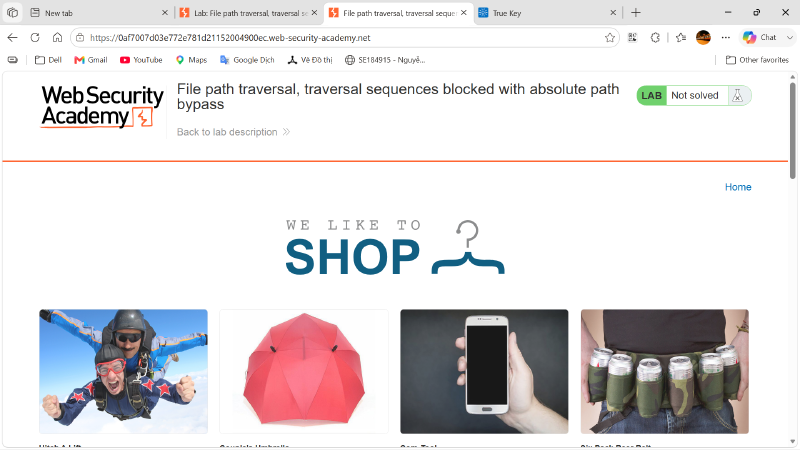
This confirmed that the lab’s attack surface was likely related to the application’s file retrieval mechanism for serving static assets.
Step 2: Open a product image to identify the target endpoint#
Next, I opened a product image in a new tab to inspect the URL and identify how the backend retrieves files:
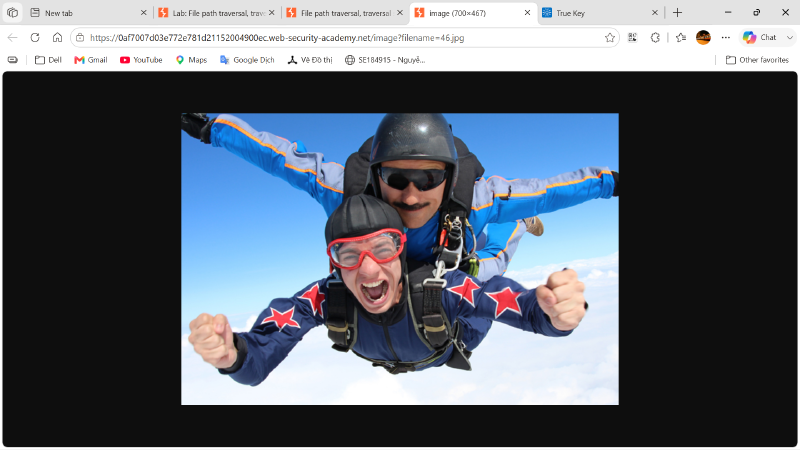
The URL structure revealed that the application uses a specific endpoint with a filename parameter to serve images:
| |
Because the server directly takes user-supplied input from the filename parameter to access the filesystem, this parameter was the primary target for testing path traversal vulnerabilities.
Step 3: Test standard relative path traversal sequences#
Before attempting to bypass the security filter, I tested standard relative path traversal sequences to understand how the application handles malicious input. I modified the filename parameter in the URL to request the /etc/passwd file using ../ sequences:
| |
Instead of returning the file contents, the server rejected the request and responded with an explicit text error message:
| |
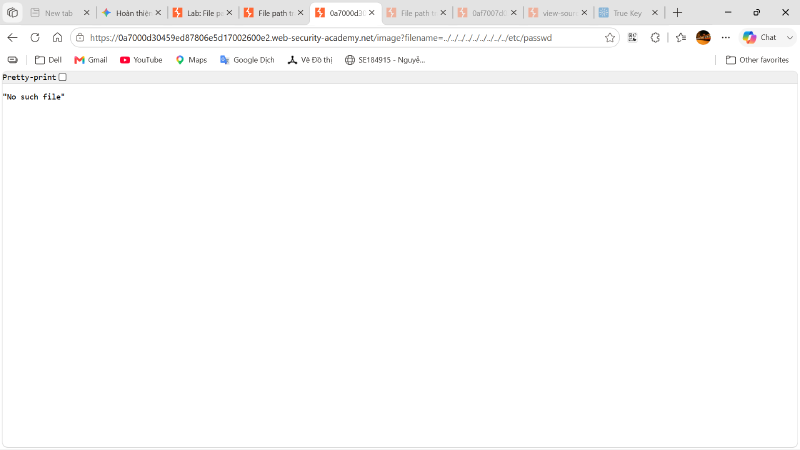
This behavior indicated that the application implements a security filter that actively blocks or strips relative traversal sequences (../), causing the backend filesystem lookup to fail. However, this error message did not prove that the backend securely restricts file access to the intended web root directory—only that the relative sequence itself was invalid or stripped.
Step 4: Bypass the filter using an absolute file path#
After observing that relative traversal sequences were blocked, I tested whether the application validates the base directory of the requested file. When a filter only checks for specific relative patterns like ../, it can often be bypassed by supplying an absolute path directly from the filesystem root.
I modified the parameter to reference the absolute filesystem path of the target file, completely bypassing the need for ../ sequences:
| |
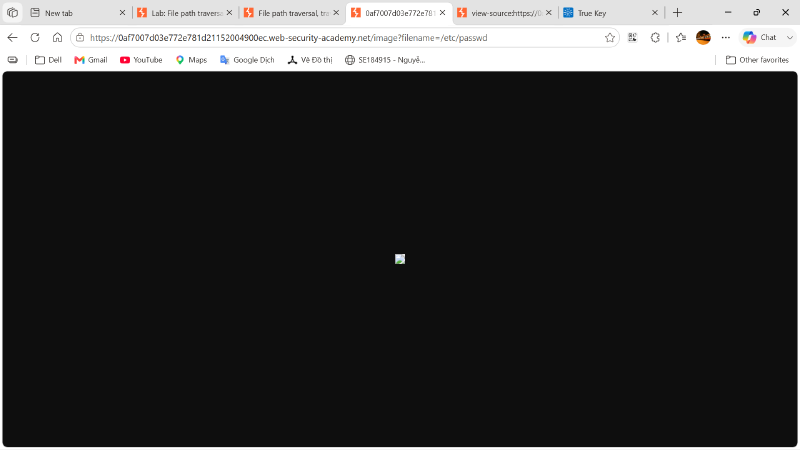
Step 5: Observe the successful file retrieval#
After sending the request with the absolute path, the server accepted the input without triggering the relative path filter. The application successfully returned the raw contents of the Linux user account file:
| |
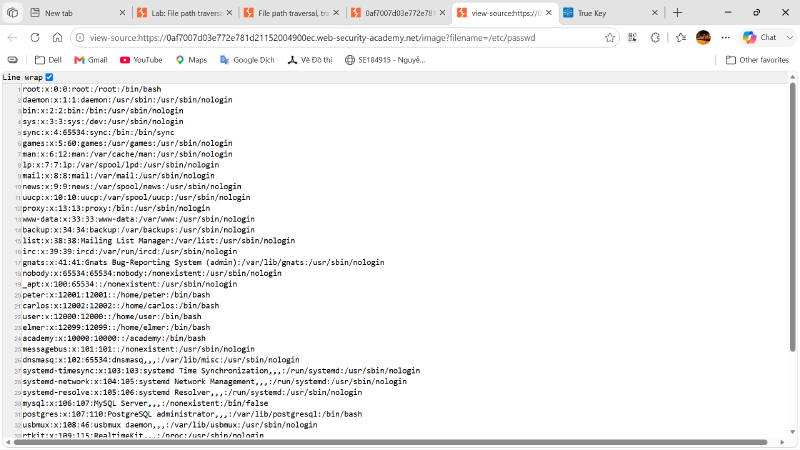
This confirmed that while the application actively blocked ../ sequences, it failed to enforce base directory confinement, allowing arbitrary file retrieval from the server.
Step 6: Verify lab completion#
After retrieving the contents of the /etc/passwd file, I returned to the lab banner. The lab status automatically updated to Solved:
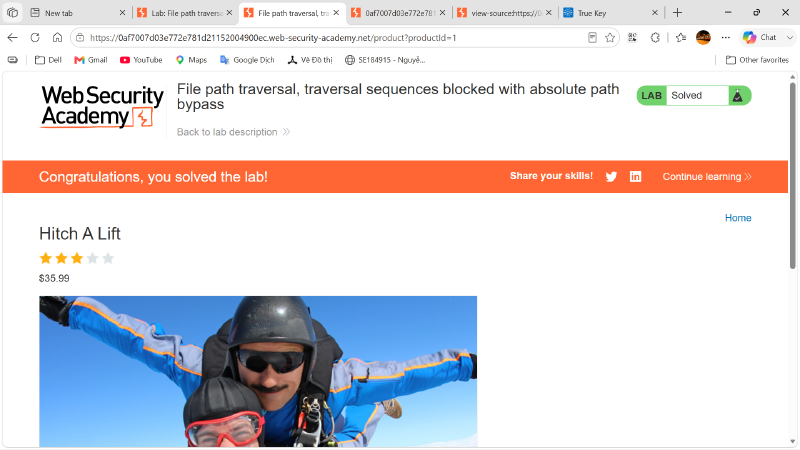
The final confirmation showed that exploiting the incomplete filter via an absolute path bypass successfully exposed critical operating system files, completing the lab.
Vulnerability explanation#
The root cause of this vulnerability is an incomplete defensive filter combined with the direct use of user input in filesystem operations. The application attempts to prevent path traversal by blocking or stripping relative traversal sequences (../). However, the backend code passes the supplied filename directly to filesystem APIs without verifying that the resolved path starts with the intended base directory (e.g., /var/www/images/). As a result, supplying an absolute path such as /etc/passwd completely bypasses the relative sequence filter and allows unrestricted file access.
Security impact#
The demonstrated impact is arbitrary information disclosure. In a real-world scenario, an attacker exploiting this vulnerability could read sensitive system files, application source code, configuration files containing database credentials, or environment variables. This exposure can lead to full server compromise, unauthorized network access, or privilege escalation.
Potential impacts include:
- Exposure of system user accounts and operating system configurations.
- Leakage of hardcoded secrets, API keys, and database credentials from configuration files.
- Disclosure of proprietary application source code and business logic.
- Access to sensitive application or server logs, which may contain session tokens or user data.
- Facilitating further attacks, such as Remote Code Execution (RCE), if combined with log poisoning or arbitrary file write vulnerabilities.
Remediation recommendations#
To prevent path traversal vulnerabilities, applications should never pass raw user input directly to filesystem APIs. Security controls should rely on secure design patterns rather than blacklisting specific characters or sequences.
Recommended defenses include:
- Avoid passing user-controlled filenames directly to the filesystem; use indirect object references (such as mapping database IDs to files) instead.
- If user input must be used, validate the input against a strict whitelist of permitted alphanumeric filenames or expected values.
- Enforce strict base directory confinement by using built-in path canonicalization APIs (such as
realpath()in PHP orPath.GetFullPath()in C#) to resolve the absolute path, and verify that it starts exactly with the intended base directory. - Never rely solely on blocking or stripping characters like
../or/, as these filters can frequently be bypassed using alternative path representations. - Run the web server account with the principle of least privilege, ensuring it only has read access to essential public directories and cannot access system-level files like
/etc/passwd.
Conclusion#
This lab demonstrated a Path Traversal vulnerability caused by an incomplete input filter in an image retrieval endpoint. While the application blocked standard relative traversal sequences (../), it failed to enforce base directory confinement. By replacing the filename parameter with the absolute path /etc/passwd, I bypassed the restriction and successfully retrieved the contents of the system file, solving the lab.