
Question & Answer#
1. What is an Error-Based SQL Injection attack, and how does it differ from other types of SQL injection?
An Error-Based SQL Injection attack is a type of SQL injection where an attacker intentionally triggers database error messages to learn information about the database structure, such as table names, column names, or query logic. Unlike blind SQL injection, which requires inference from application behavior, error-based SQL injection directly reveals useful information through visible database error messages.
2. Explain the concept of using database errors to extract information, and describe the typical signs that a web application might be vulnerable to this type of attack.
Attackers use specially crafted input to cause the database to return detailed error messages. These errors may expose database type, SQL syntax, table names, or other internal details. Typical signs include visible SQL error messages, database stack traces, unexpected error pages after special characters like ' or ", and messages mentioning SQL syntax, database drivers, or query failures.
Blind SQL injection with conditional errors#
1. Lab Objective#
The objective of this lab was to exploit a blind SQL injection vulnerability in the TrackingId cookie. The goal was to extract the password of the administrator user and then log in as that user to solve the lab.
2. Identifying the Injection Point#
First, I captured the request in Burp Suite and observed that the application used a TrackingId cookie.
| |
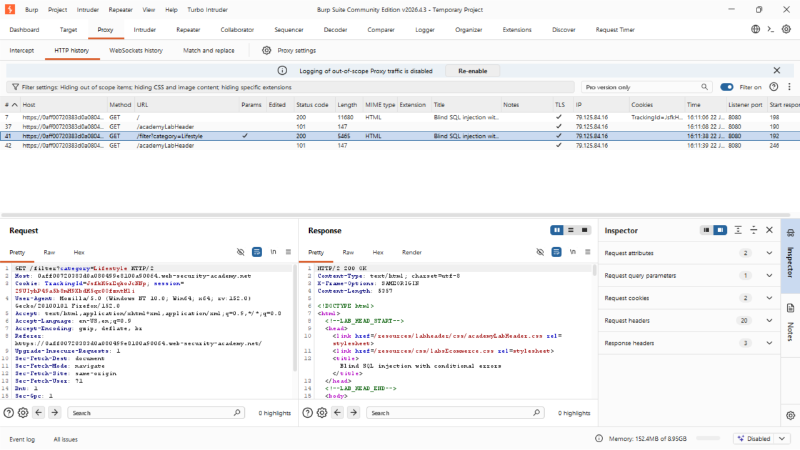
I tested the TrackingId cookie because tracking cookies are commonly processed by backend SQL queries. By modifying this cookie value in Burp Repeater, I was able to observe different server responses depending on the SQL payload.
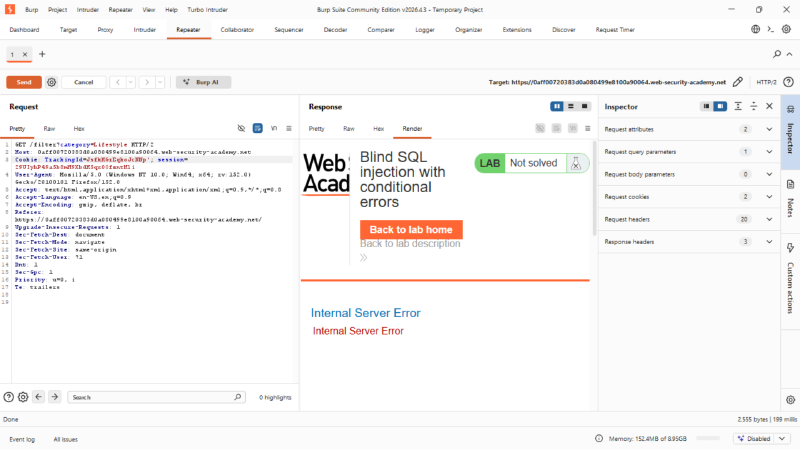
3. Confirming Conditional Error-Based SQL Injection#
To confirm the vulnerability, I used conditional SQL payloads that intentionally triggered a database error only when a condition was true.
The following payload caused an internal server error:
| |
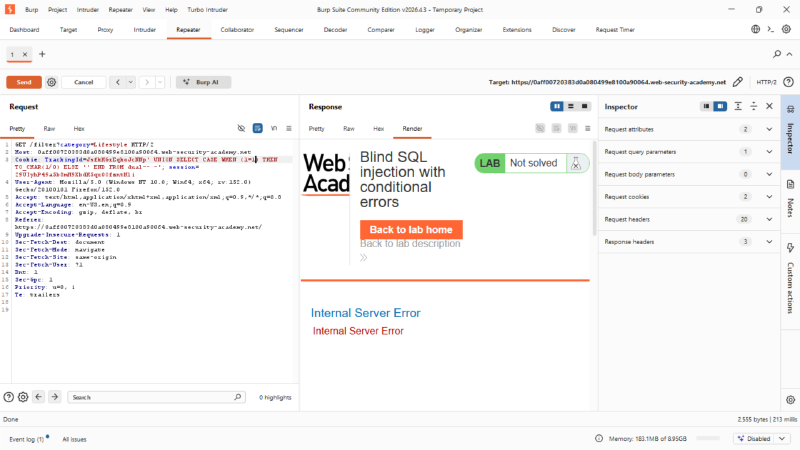
Because 1=1 is true, the database evaluated TO_CHAR(1/0), which caused a divide-by-zero error. As a result, the application returned:
| |
Then, I tested a false condition:
| |
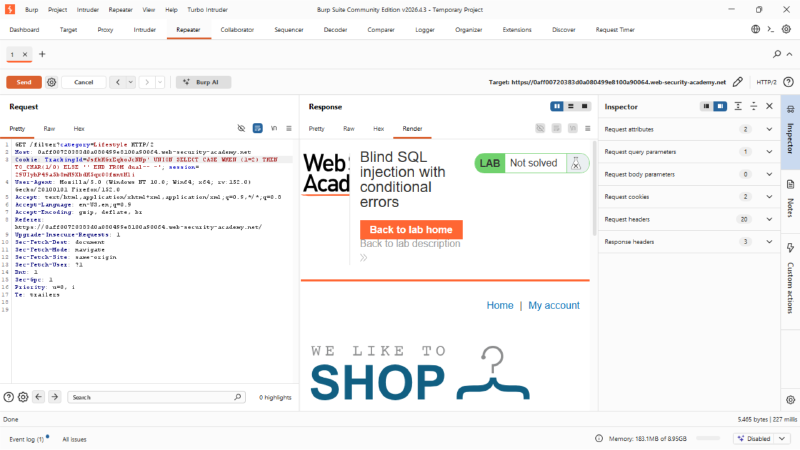
Because 1=2 is false, the error expression was not executed and the application returned a normal page.
This confirmed that the application was vulnerable to blind SQL injection with conditional errors.
4. Confirming Oracle Database Syntax#
The payload used Oracle-specific syntax such as dual and TO_CHAR(1/0). I also tested a simple Oracle UNION SELECT payload:
| |
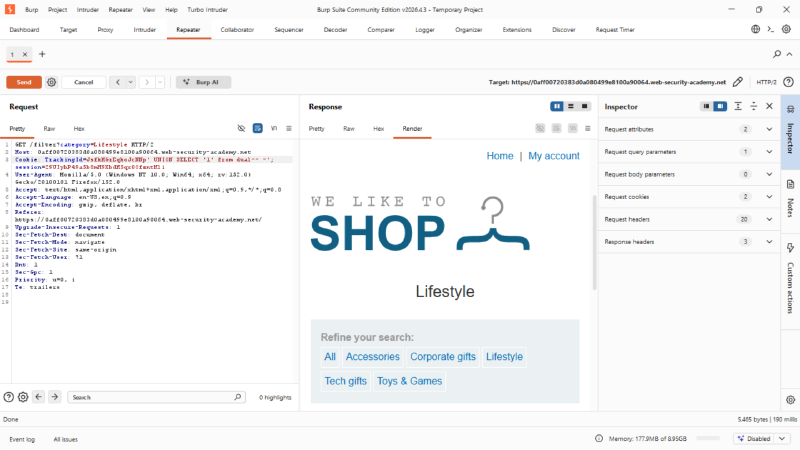
The application returned a normal response, confirming that the SQL injection was compatible with Oracle syntax and that the query expected one returned column.
5. Enumerating Table Names#
5. Enumerating Table Names#
After confirming the conditional error-based SQL injection vulnerability, I enumerated the database tables to identify where user credentials were stored. Since the backend database used Oracle syntax, I queried the user_tables data dictionary view.
The following payload was used to check whether a table named USERS existed:
| |
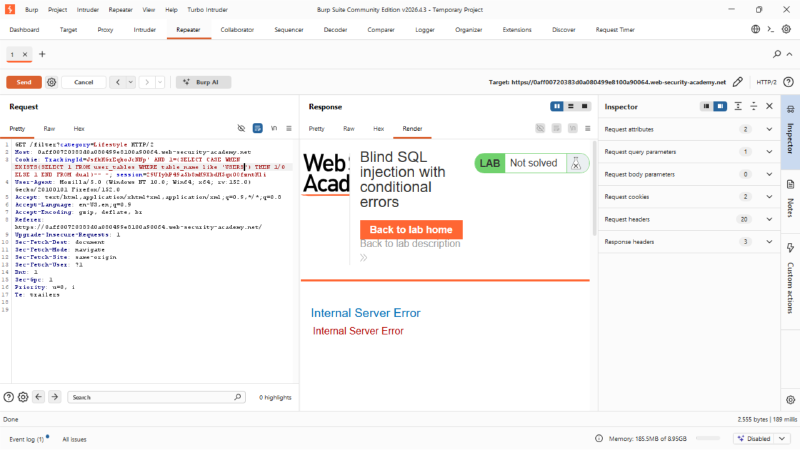
The application returned a 500 Internal Server Error. This indicated that the condition was true, because the database executed 1/0 and triggered an error.
Therefore, I confirmed that the USERS table existed in the current Oracle schema.
This table was then selected as the target for further enumeration because it likely contained user account information such as usernames and passwords.
6. Enumerating Column Names in the USERS Table#
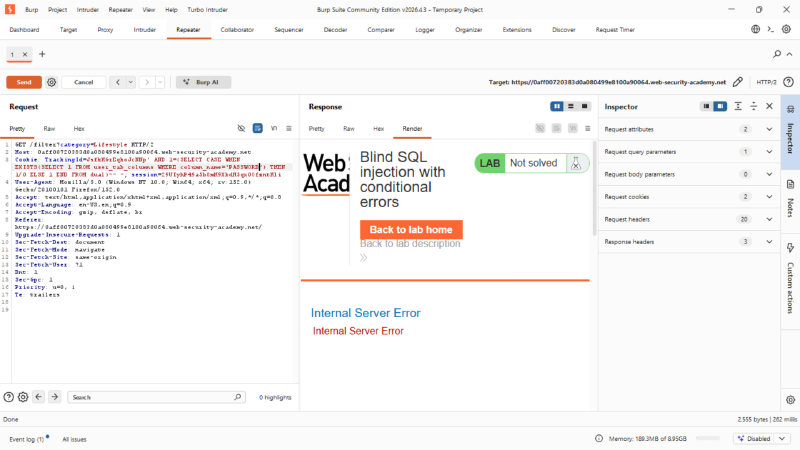
After confirming that the application was vulnerable to conditional error-based SQL injection, I began enumerating the column names in the USERS table. Since the database was Oracle, I used the user_tab_columns data dictionary view to check whether specific column names existed.
The following payload was used to test whether a column named USER existed:
| |
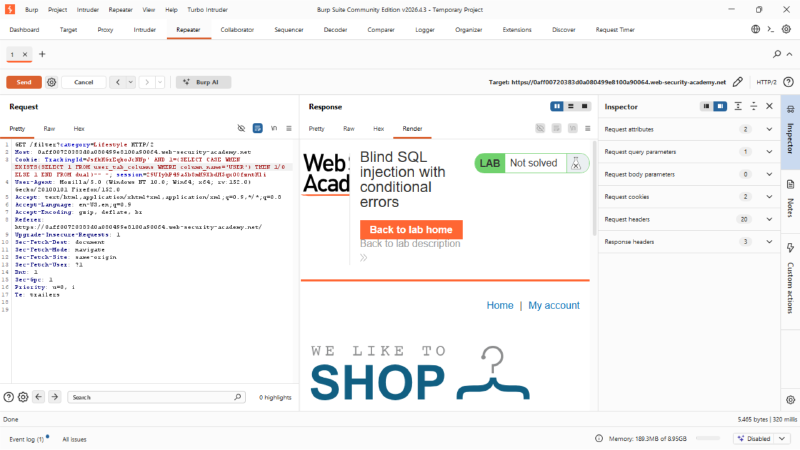
The application returned a normal page instead of a 500 Internal Server Error. This means the condition was false, so the USER column did not exist.
I then continued testing other possible column names, such as USERNAME and PASSWORD, until the server returned a 500 Internal Server Error. A 500 response indicated that the tested column name existed because the true condition triggered the Oracle divide-by-zero error.
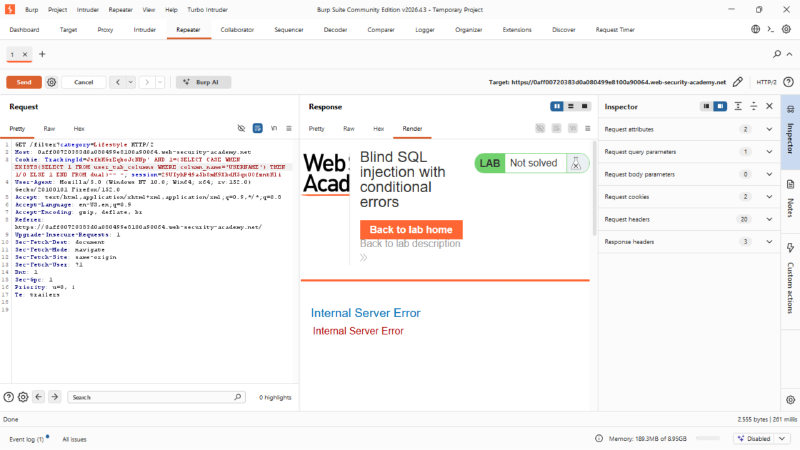
7. Determining the Password Length#
Before extracting the password, I determined its length using the LENGTH() function.
The following payload was used:
| |
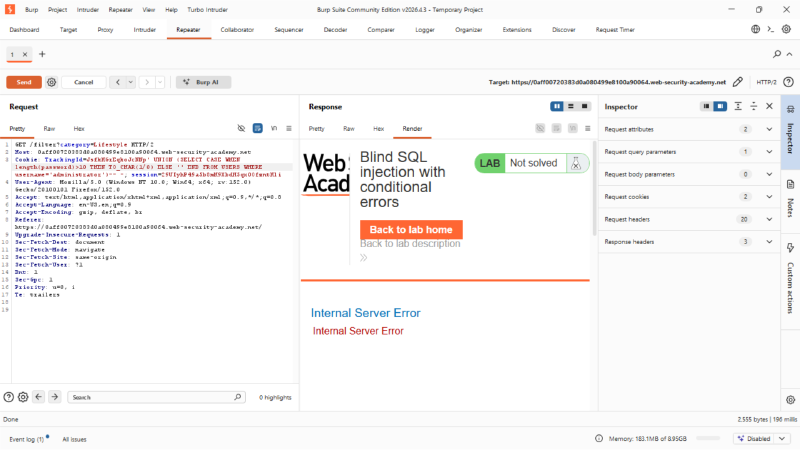
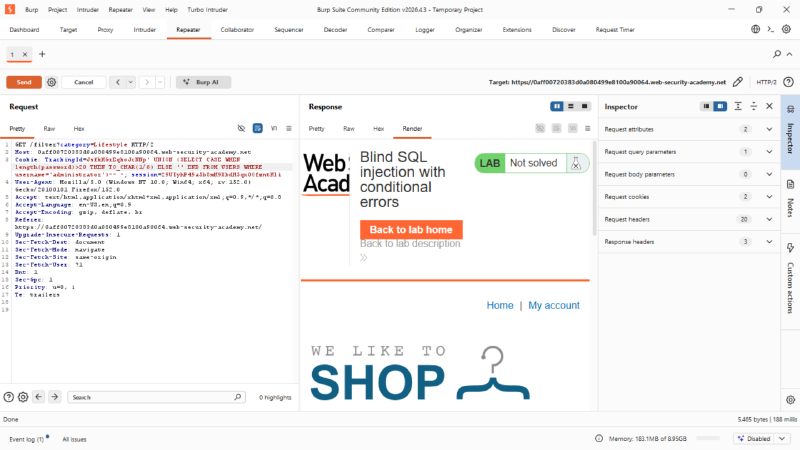
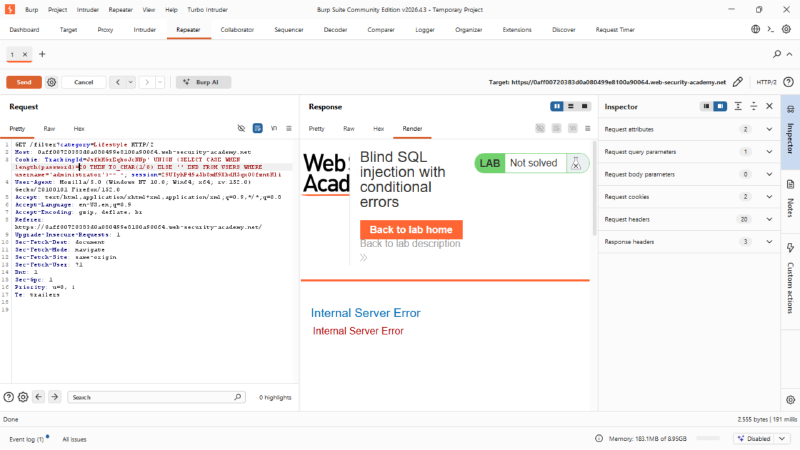
The application returned a 500 Internal Server Error, meaning the condition was true. Therefore, the password length was confirmed to be 20 characters.
8. Extracting the Password Character by Character#
After confirming the password length, I extracted the password one character at a time using the SUBSTR() function.
For example, the first character was tested using:
| |
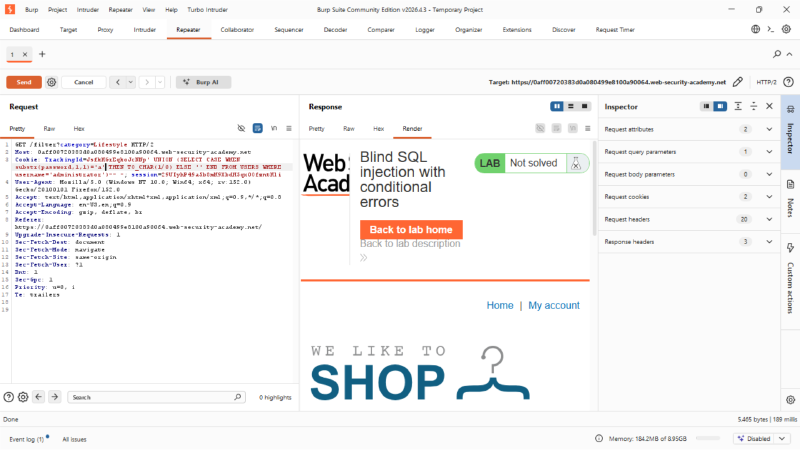
If the guessed character was correct, the server returned 500 Internal Server Error. If the guessed character was incorrect, the server returned a normal page.
The same method was repeated for each character position from 1 to 20.
9. Automating the Extraction with Turbo Intruder#
To speed up the extraction process, I used Turbo Intruder to brute-force each character of the administrator password. The script sent requests with different character guesses and identified the correct characters by checking for HTTP 500 responses.
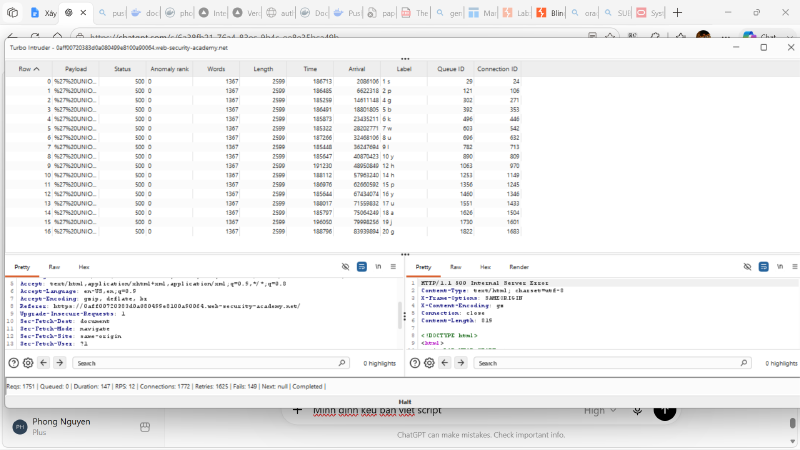
The Turbo Intruder results showed the following extracted characters:
| |
Therefore, the recovered administrator password was:
| |
10. Verifying the Full Password#
To verify the extracted password, I tested the full 20-character value using the following payload:
| |
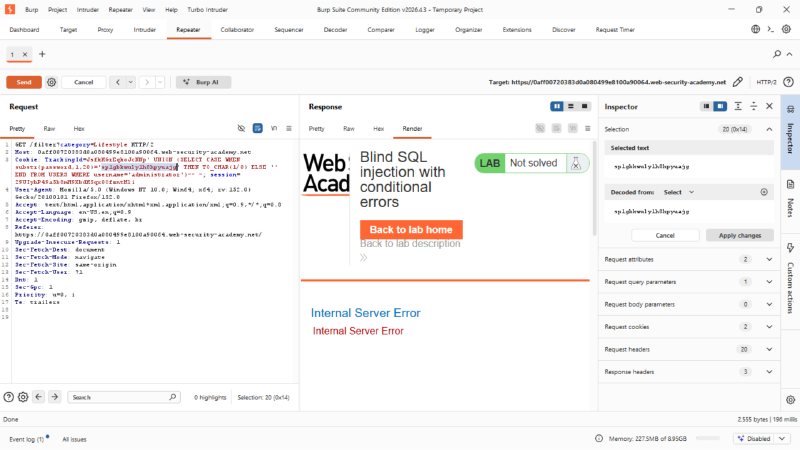
The application returned 500 Internal Server Error, confirming that the extracted password was correct.
11. Logging in as Administrator#
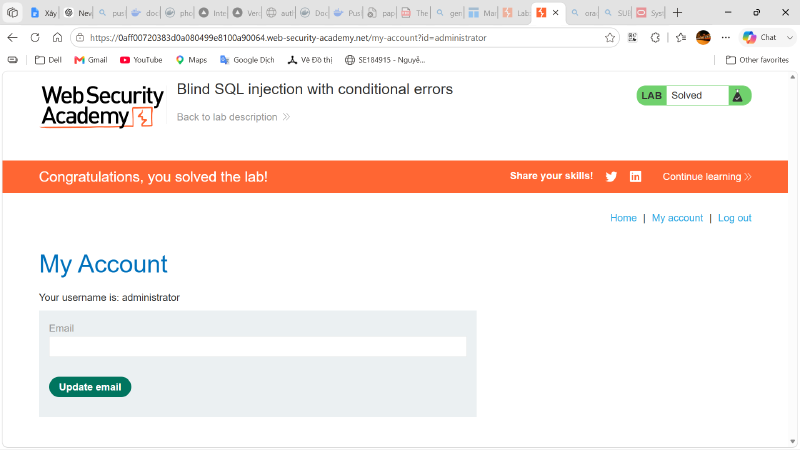
Finally, I logged in using the recovered credentials:
| |
After logging in successfully, the lab displayed the “Solved” status.
12. Conclusion#
This lab demonstrated how blind SQL injection with conditional errors can be exploited even when database query results are not directly displayed in the response. By using Oracle-specific error-based payloads with CASE WHEN, TO_CHAR(1/0), LENGTH(), and SUBSTR(), I was able to extract the administrator password character by character and complete the lab successfully.