
Question & Answer#
- What is Reflected Cross-Site Scripting (XSS), and how does it differ from Stored XSS and DOM-Based XSS?
- Reflected XSS is a vulnerability where malicious script is included in a request and immediately reflected back in the server’s response, causing the victim’s browser to execute it. Unlike Stored XSS, the script is not permanently saved on the server. Unlike DOM-Based XSS, the vulnerability usually occurs in server-side response generation rather than only in client-side JavaScript processing.
- How does Reflected XSS work, and what are the typical attack vectors?
- Reflected XSS works when an attacker sends a crafted link or request containing malicious JavaScript to a victim. If the application reflects that input into the page without proper validation or output encoding, the victim’s browser executes the script. Common attack vectors include search fields, URL parameters, error messages, form inputs, and links sent through email, chat, or phishing pages.
Reflected DOM XSS#
1. Lab Objective#
The objective of this lab was to exploit a Reflected DOM XSS vulnerability in the blog search feature. The application reflected the search parameter into data that was later processed by client-side JavaScript. The goal was to craft a payload that would execute alert(1) in the browser and complete the lab.
2. Accessing the Lab Application#
I first opened the PortSwigger Web Security Academy lab named Reflected DOM XSS. The home page displayed a blog search function, and the lab status was initially Not solved.
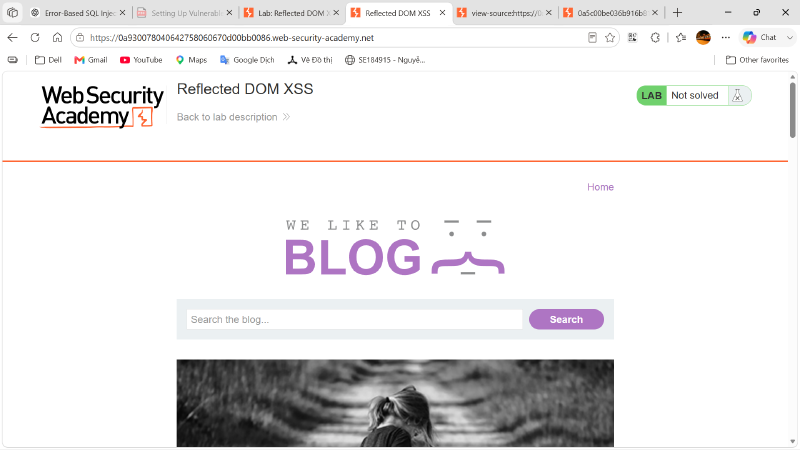
The search box submitted user input through the search query parameter in the URL. Therefore, this parameter was selected as the main input point for testing.
3. Inspecting the HTML Source#
Next, I viewed the page source to understand how the search function was implemented. The HTML source showed that the page loaded an external JavaScript file and then called the search() function:
| |
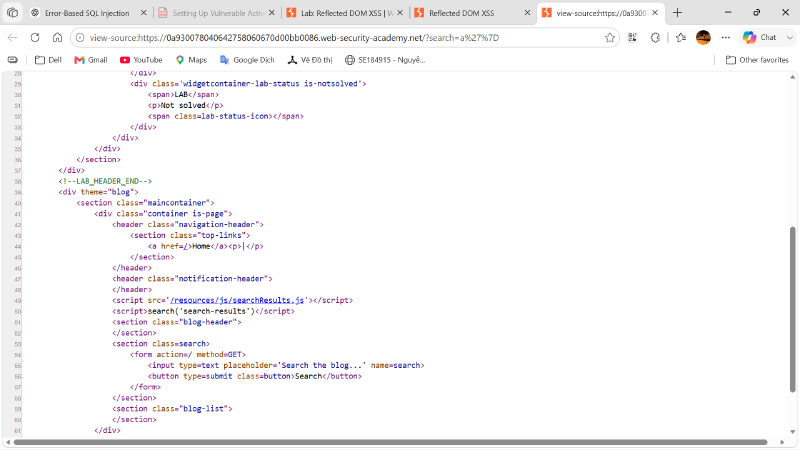
This showed that the search result rendering was handled by client-side JavaScript, not only by static server-side HTML.
4. Inspecting the JavaScript Source#
I then opened the JavaScript file used by the search function:
| |
Inside the file, the application created an XMLHttpRequest and sent the current URL query string to the backend:
| |
The most important part was that the server response was passed into eval():
| |
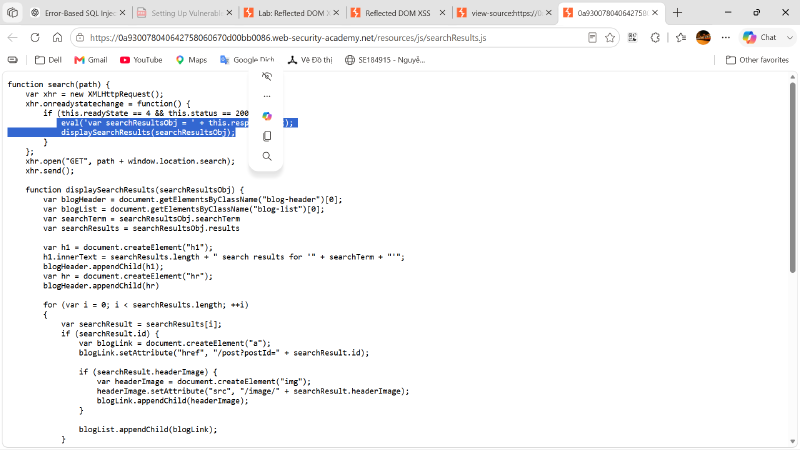
This was the vulnerable behavior. The eval() function treats the response text as JavaScript code. If attacker-controlled input is reflected into this.responseText in an unsafe way, the attacker may be able to break out of the intended data structure and execute JavaScript in the browser.
The vulnerable data flow was:
| |
5. Testing Special Characters in the Search Parameter#
After identifying the dangerous eval() usage, I tested special characters in the search parameter to understand how the input was reflected and parsed.
First, I tested a value containing a double quote and a closing brace:
| |
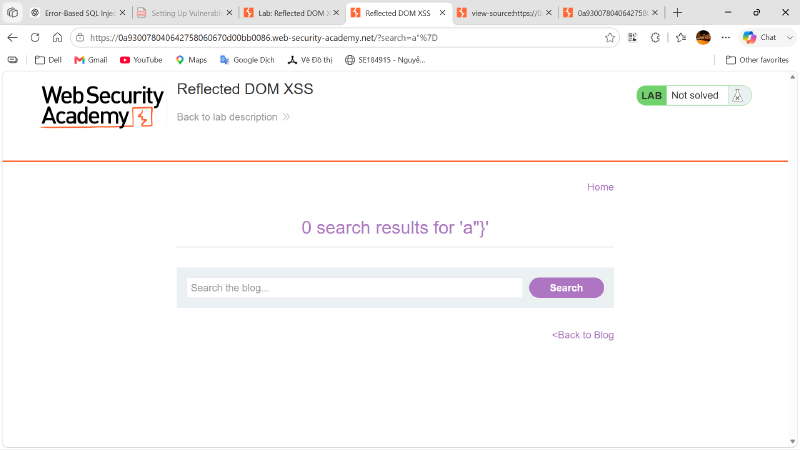
The page reflected the value in the search result message as:
| |
This confirmed that characters such as " and } could reach the JavaScript-handled search output.
Next, I tested a value containing a backslash, a double quote, a closing brace, and a JavaScript comment marker:
| |
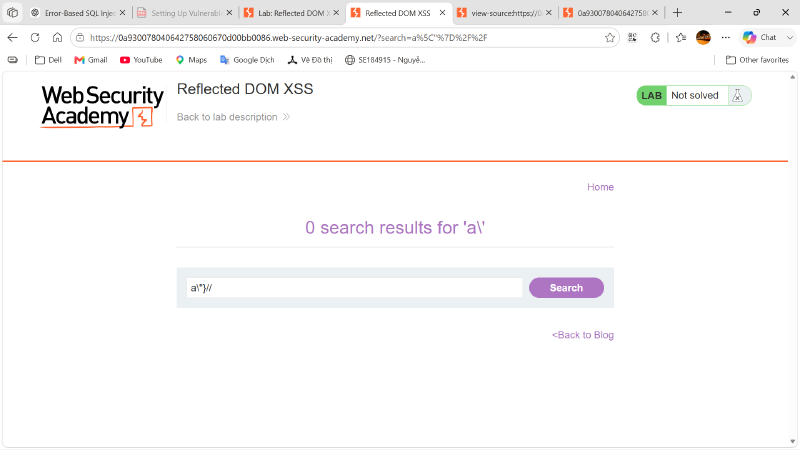
The page still loaded, and the reflected output changed to a value similar to:
| |
This result was important because it showed that the backslash and quote sequence affected the JavaScript string context. From this behavior, I determined that the final payload needed to do three things:
| |
6. Building the Final Payload#
Based on the previous tests, I built the following payload:
| |
The payload can be broken down as follows:
| |
The URL-encoded version of the payload was:
| |
The final URL format was:
| |
7. Executing the Payload#
I submitted the final payload through the search parameter. When the page loaded, the browser requested the search results, received a response containing the reflected search value, and executed the response through eval().
Because the payload successfully escaped the intended JavaScript string context, the browser executed:
| |
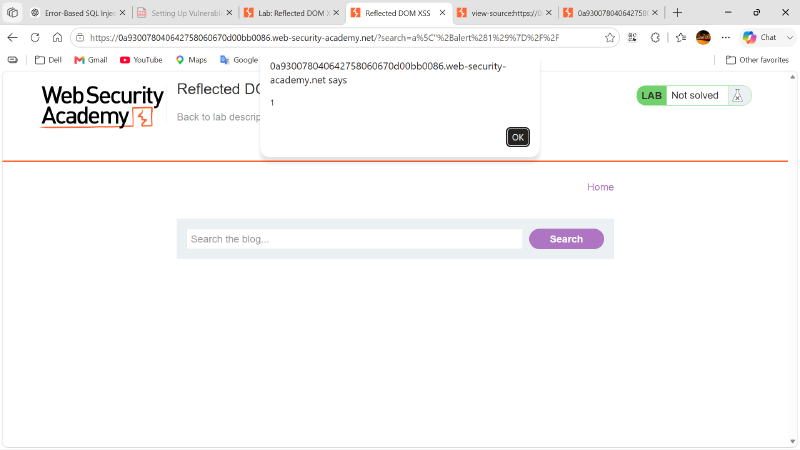
The alert box appeared in the browser, confirming that JavaScript execution was achieved.
8. Solving the Lab#
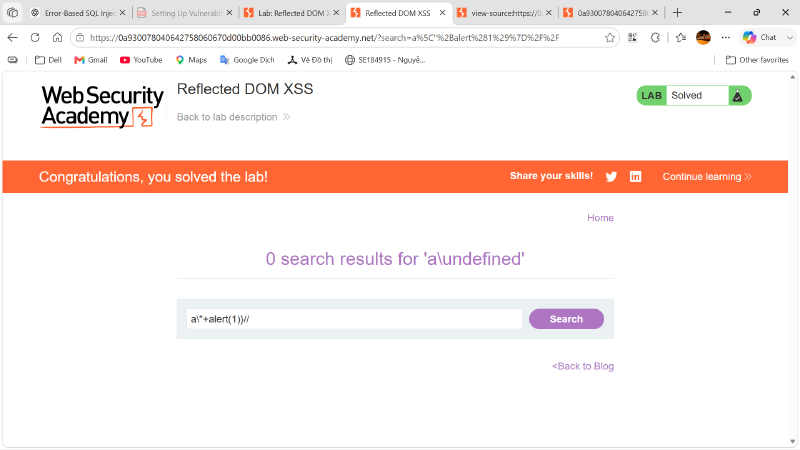
After alert(1) executed successfully, the lab detected the exploit and changed the status to Solved.
9. Conclusion#
This lab demonstrated a Reflected DOM XSS vulnerability caused by unsafe client-side JavaScript processing. The application reflected the search parameter into a server response, and the client-side script executed that response using eval(). By testing how special characters were reflected and then crafting the payload a\"+alert(1)}//, I was able to escape the JavaScript string context, execute alert(1), and complete the lab successfully.