
Question & Answer#
1. What defines Stored Cross-Site Scripting (XSS), and how does it differ from Reflected XSS and DOM-Based XSS?#
Stored Cross-Site Scripting, also called persistent XSS or second-order XSS, occurs when an application receives untrusted input, stores it on the server side, and later includes that stored data in an HTTP response or client-side rendering flow without safe output handling. Typical storage locations include blog comments, user profiles, chat messages, product reviews, ticket notes, or any database-backed content that is displayed to other users later.
The key characteristic of Stored XSS is persistence. The attacker does not need to trick every victim into opening a specially crafted URL. Instead, the attacker submits the malicious payload once, the application stores it, and the payload executes whenever another user views the affected page or component.
The difference between the three major XSS categories can be summarized as follows:
| XSS type | Where the malicious input comes from | When it is returned or executed | Typical example |
|---|---|---|---|
| Reflected XSS | The current HTTP request | Immediately in the same response | A search parameter is reflected into the search results page without encoding. |
| Stored XSS | Stored server-side data, such as a database record | Later, when a user views the affected content | A malicious blog comment is stored and executed for every visitor who opens the post. |
| DOM-Based XSS | Client-side JavaScript processes attacker-controllable data unsafely | In the browser DOM, usually through a dangerous sink | JavaScript reads data and writes it into innerHTML, causing HTML or JavaScript execution. |
In this lab, the vulnerability is more specifically Stored DOM XSS. The malicious comment is stored by the application, returned later through the comment-loading endpoint, and then processed unsafely by client-side JavaScript before being inserted into the DOM.
2. Explain how malicious scripts are injected, stored, and subsequently executed in Stored XSS attacks. What are the potential consequences?#
A Stored XSS attack normally follows this sequence:
- Injection: The attacker identifies an input field whose value is stored by the application. In this lab, the target input is the blog comment field.
- Storage: The attacker submits a payload that contains HTML or JavaScript. The backend accepts the comment and stores it as normal user content.
- Retrieval: Another user, or the attacker, later opens the affected page. The application retrieves the stored comment and returns it to the browser.
- Unsafe rendering: The application or its client-side JavaScript inserts the stored value into the page without safe context-aware output encoding.
- Execution: The browser interprets part of the stored value as active HTML or JavaScript. The payload runs in the security context of the vulnerable website.
The impact depends on the application and the victim’s privileges. A successful Stored XSS vulnerability may allow an attacker to hijack user sessions, steal sensitive information, perform actions as the victim, capture credentials, inject phishing content, deface pages, or attack administrator accounts. Stored XSS is especially dangerous because it is self-contained inside the application: once the payload is stored, victims can trigger it simply by browsing to a legitimate page.
Stored DOM XSS#
Lab objective#
The objective of this PortSwigger Web Security Academy lab is to exploit a Stored DOM XSS vulnerability in the blog comment functionality and call the alert() function. The vulnerability exists because the application stores user comments and later renders them through vulnerable client-side JavaScript.
Step 1: Open the lab home page#
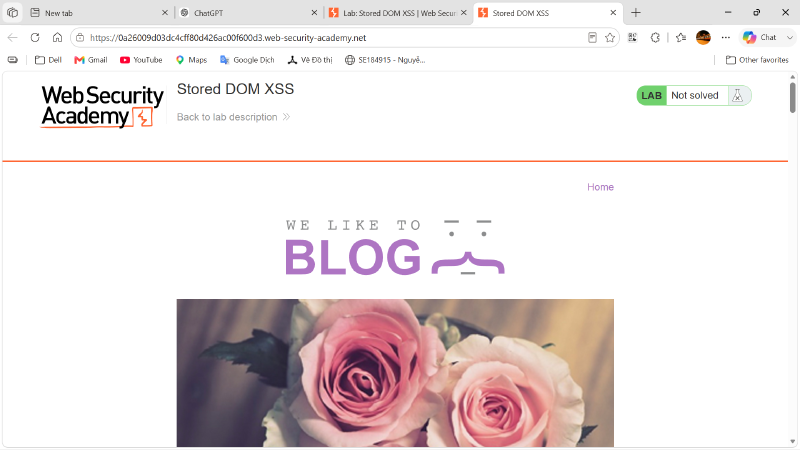
First, I opened the PortSwigger Web Security Academy lab instance. The home page shows a blog-style application with several posts. At this stage, the lab status is still Not solved.
Step 2: Open a blog post and locate the comment form#
Next, I opened one of the blog posts. The page contains a comment area where users can submit a comment, name, email, and website. This form is the main attack surface because comments are stored and later displayed under the same blog post.
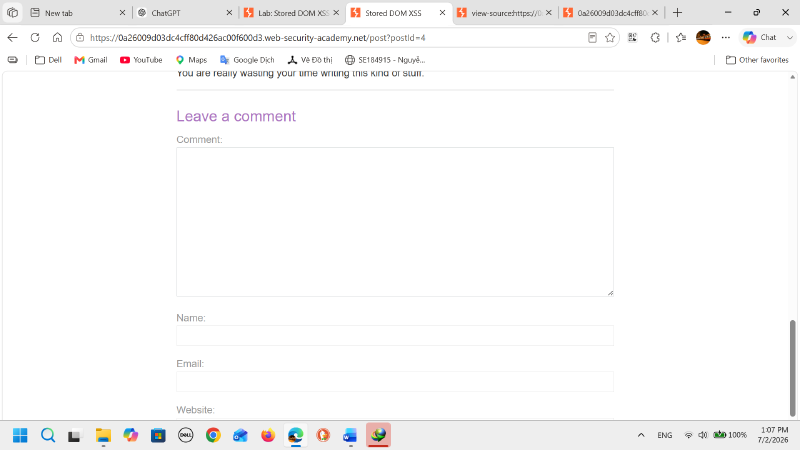
From an XSS testing perspective, this comment form is an important entry point. If the application stores the submitted value and later displays it without safe encoding, the comment can become a Stored XSS payload.
Step 3: Review the HTML source and identify the comment-loading script#
I inspected the page source and found that the comments are not fully rendered as static server-side HTML. Instead, the page loads a JavaScript file named loadCommentsWithVulnerableEscapeHtml.js and then calls the loadComments() function.
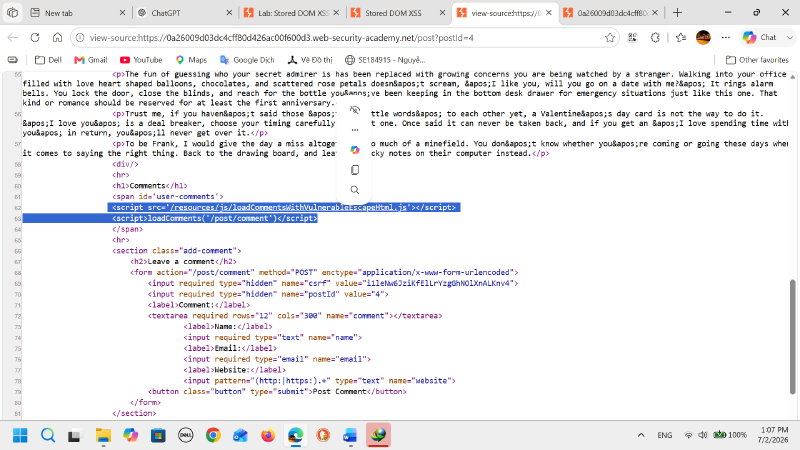
The relevant part of the page source is:
| |
This shows that comments are retrieved dynamically from the /post/comment endpoint and rendered into the page by JavaScript. Therefore, the vulnerability is likely to be in the client-side comment rendering logic rather than only in the initial HTML response.
Step 4: Analyze the vulnerable JavaScript#
I opened the JavaScript file and found an escapeHTML() function that attempts to encode angle brackets before inserting comment data into the DOM.
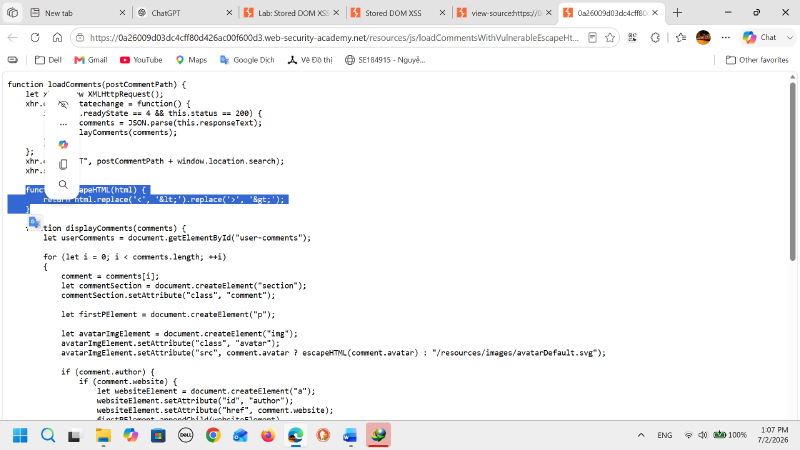
The vulnerable logic is:
| |
This looks like an output-encoding defense, but it is incomplete. In JavaScript, when replace() is called with a string argument, it replaces only the first matching occurrence. As a result, the first < and the first > are encoded, but any later angle brackets remain unchanged.
For example, if the submitted comment is:
| |
The function only neutralizes the first pair of angle brackets:
| |
The initial <> becomes harmless text, but the later <img> tag remains valid HTML. When the browser parses the rendered comment, the img element is created and the onerror event handler executes because src=1 is invalid.
This creates a Stored DOM XSS flow:
| |
Step 5: Test a basic script payload#
I first tested a simple script payload in the comment field:
| |
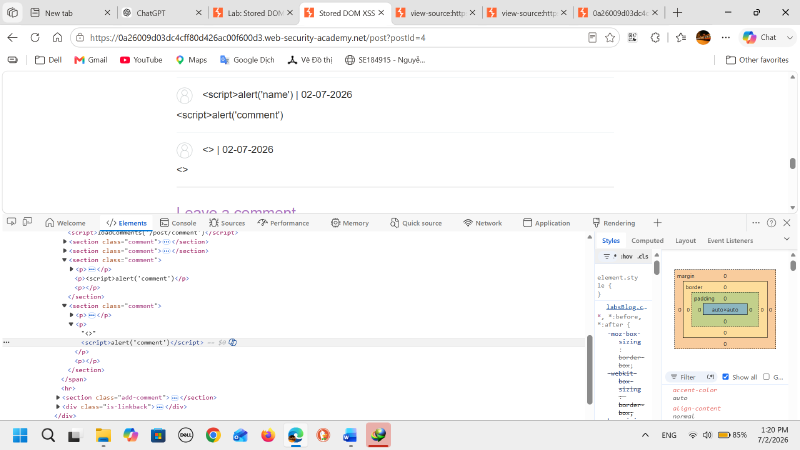
The payload <><script>alert('comment')</script> was submitted to test whether the comment field could store and render HTML-like input. When the comment was displayed, the visible output appeared incomplete because the closing </script> tag was not shown as plain text. This does not mean the server removed it. Instead, the browser parsed <script>alert('comment')</script> as a real script element after the first < and > had already been consumed by the vulnerable escaping function. However, this payload still did not solve the lab because script elements inserted through DOM rendering are treated as inert and do not execute. Therefore, this test confirmed that the input was stored and later rendered, but it also showed that a different HTML element with an executable event handler was required.
Step 6: Test whether a second HTML tag can become active#
After confirming that a normal <script> payload did not execute, I tested whether the weak escaping could be bypassed by adding a harmless first pair of angle brackets before another HTML element.
The test payload was:
| |
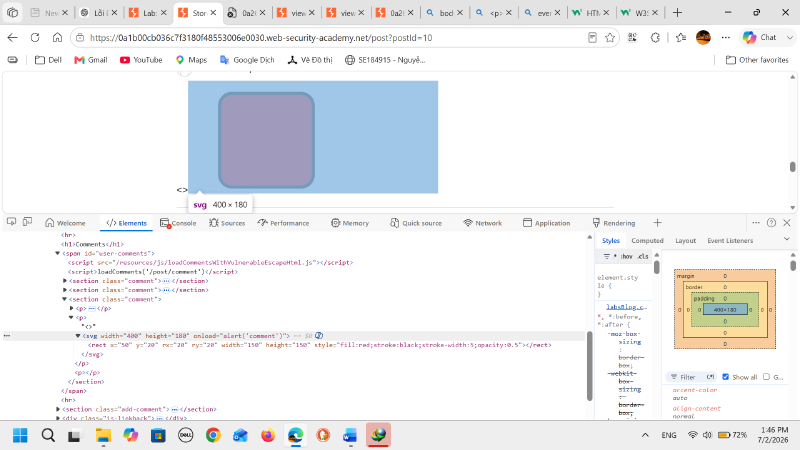
The result matched the vulnerable JavaScript behavior. The first <> was treated as harmless text because the vulnerable escapeHTML() function encoded only the first < and the first > characters. However, the following <svg> tag was still inserted into the DOM as a real HTML/SVG element.
In Developer Tools, the comment was rendered approximately as:
| |
This confirmed that the payload was no longer displayed only as text. The browser created a real SVG element, and the onload event handler could execute JavaScript.
Step 7: Build the final Stored DOM XSS payload#
Based on the vulnerable replace() logic, the bypass technique is to place a harmless first pair of angle brackets before the real executable HTML element.
The structure of the payload is:
| |
In this lab, I used an event-handler-based payload instead of relying on a <script> tag, because script elements inserted through DOM rendering do not execute reliably in this context.
A working payload format is:
| |
or, following the same principle with an image element:
| |
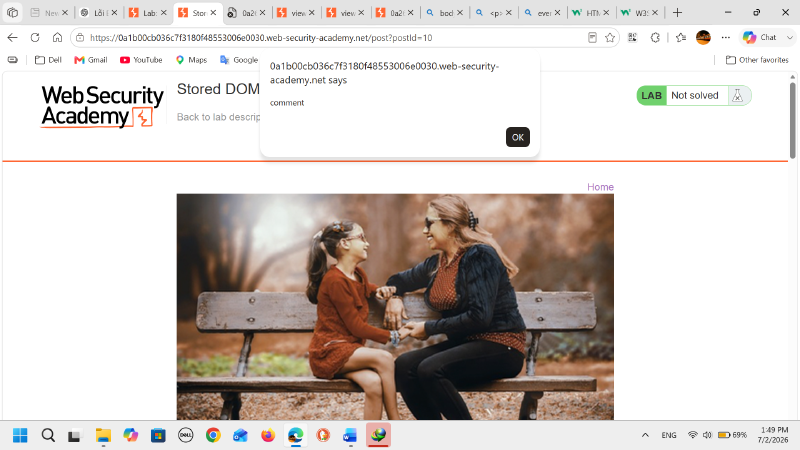
The alert box appeared, which proved that JavaScript execution was achieved through the stored comment. However, at this moment the lab banner still showed Not solved, so this screenshot should be treated as evidence of successful code execution, not yet the final lab completion state.
Step 8: Trigger the stored payload#
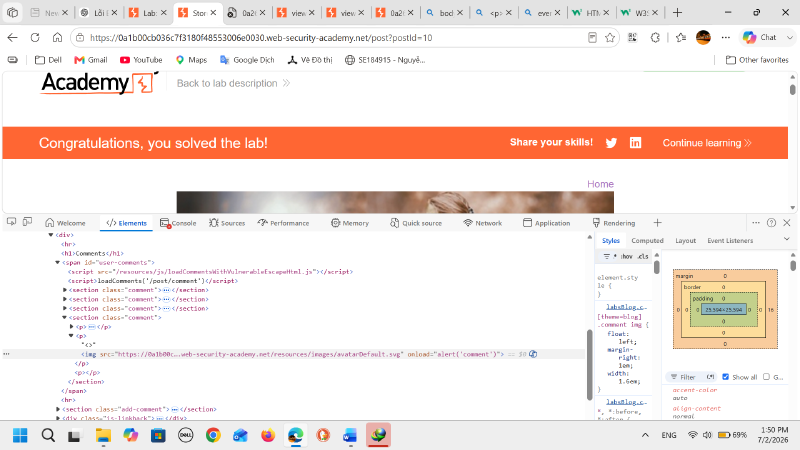
After posting the crafted comment, I returned to the blog post and allowed the comments to load. The stored payload was retrieved by the application and inserted into the DOM by the vulnerable JavaScript. The browser then interpreted the remaining <img> tag as HTML and executed the event handler.
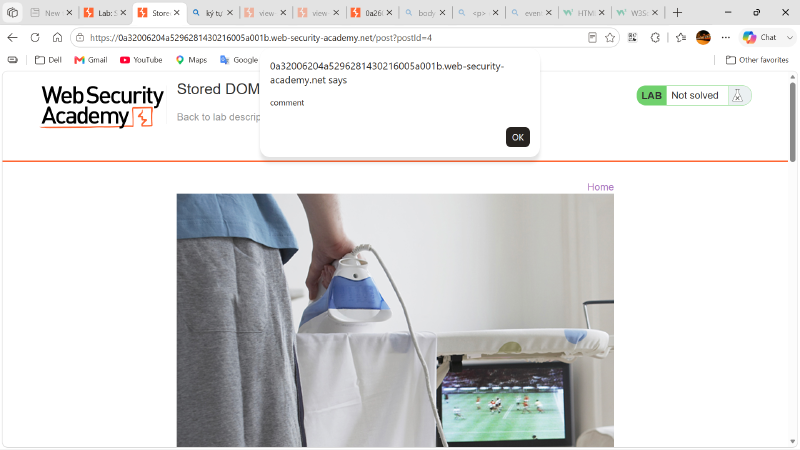
In Developer Tools, the rendered DOM confirms that the comment contains a real img element with a JavaScript event handler. This proves that the payload is no longer just text; it has become executable markup inside the page.
Step 9: Lab solved#
Once the payload executed successfully, the lab status changed to Solved. This confirms that the Stored DOM XSS vulnerability was exploited successfully.
Root cause analysis#
The root cause is an incomplete HTML escaping function in the client-side JavaScript. The application attempts to sanitize user-controlled comment data with:
| |
However, this only replaces the first occurrence of each character. Because the application later inserts the processed value into the DOM, attackers can bypass the filter by adding an extra pair of angle brackets before the real payload.
The vulnerability can be described as:
| Item | Description |
|---|---|
| Vulnerability type | Stored DOM Cross-Site Scripting |
| Entry point | Blog comment field |
| Storage location | Application comment storage |
| Source | Stored comment returned from /post/comment |
| Sink | DOM insertion using vulnerable client-side rendering, such as innerHTML |
| Weak defense | Incomplete angle-bracket escaping using string-based replace() |
| Working payload | <><img src=1 onerror=alert(1)> |
| Impact in lab | JavaScript execution through alert() |
Remediation#
To fix this vulnerability, the application should not rely on incomplete string replacement as an XSS defense. Safer remediation options include:
- Use safe DOM APIs: Insert user comments with
textContentinstead ofinnerHTMLwhen HTML rendering is not required. - Apply context-aware output encoding: Encode all dangerous characters according to the exact output context, such as HTML body, HTML attribute, JavaScript string, URL, or CSS.
- Avoid custom sanitizers: Do not write ad-hoc escaping functions such as
replace('<', '<'). They are easy to bypass. - Use a well-maintained HTML sanitizer if limited HTML is required: If the application must allow safe HTML, use a trusted sanitizer and allowlist only safe tags and attributes.
- Validate input on arrival: Restrict fields such as names, emails, and websites to expected formats.
- Deploy Content Security Policy as defense in depth: CSP can reduce the impact of XSS, but it should not replace correct output encoding and safe DOM handling.
Conclusion#
This lab demonstrates a Stored DOM XSS vulnerability caused by unsafe client-side rendering of stored comments. The application tries to prevent XSS by replacing angle brackets, but the defense is incomplete because it only replaces the first occurrence of < and >. By submitting an extra harmless <> before the real payload, the attacker bypasses the weak filter and injects an executable HTML element.
The final working concept is:
| |
This payload works because the first angle brackets are encoded, while the later <img> tag remains active and triggers JavaScript execution in the victim’s browser.